

When you enter a domain or brand in SISTRIX for AI/Chatbots, you first land on the overview page. This overview is your entry point for analyzing AI visibility. It immediately shows you how present a brand or topic is in the responses of leading language models. To keep the introduction clear, we’ve limited this basic page to four functions that display the most important metrics at a glance.
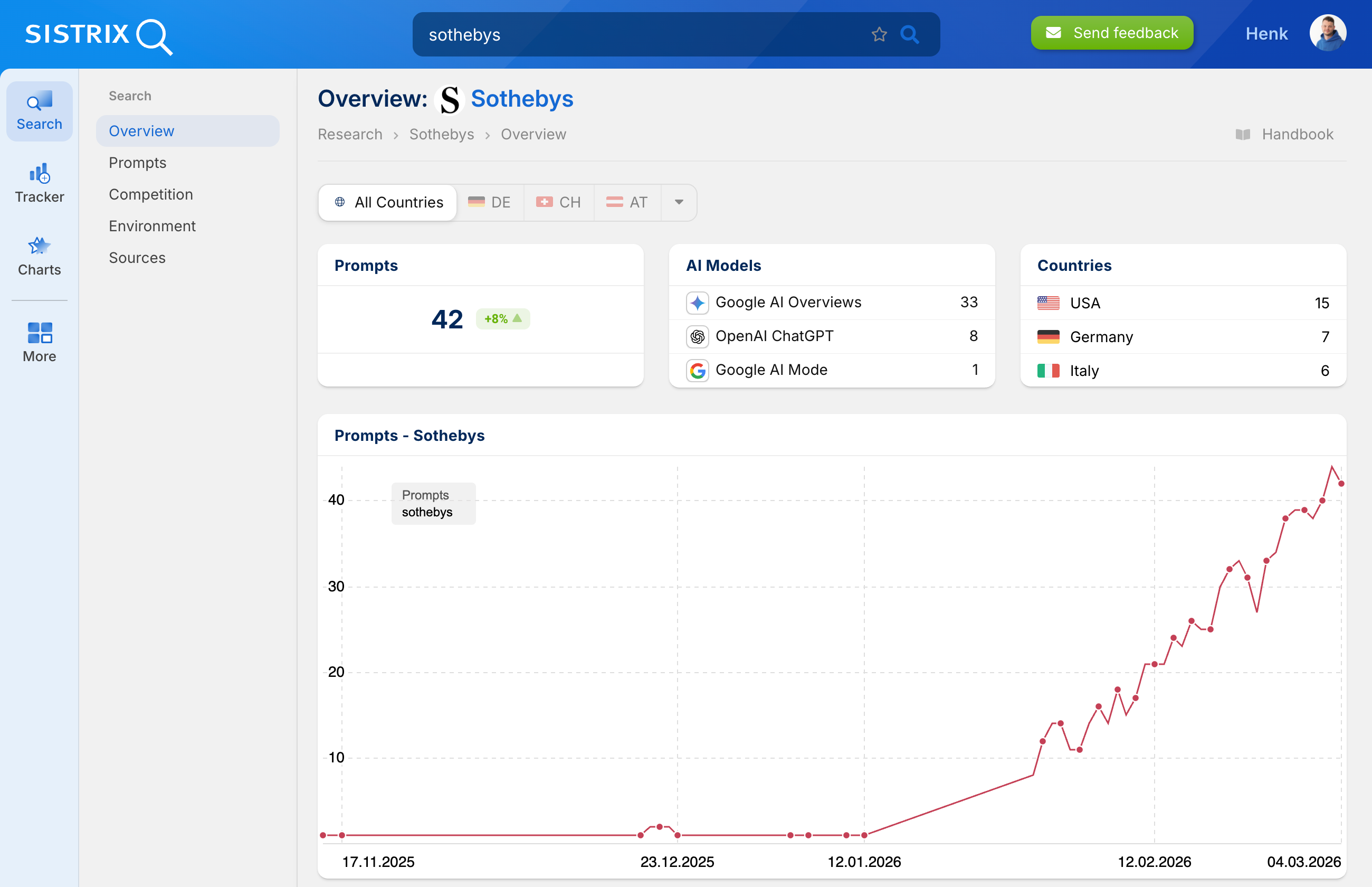
Prompts
Total of all prompt responses in which the searched entity was found as a mention or citation. Data is collected globally by default and can be filtered by language. The colored percentage value shows the change compared to the previous day.
The count is based on a comprehensive dataset from various AI platforms (ChatGPT, AI Mode, AI-Overview) with a total of around 25 million evaluated prompts worldwide.
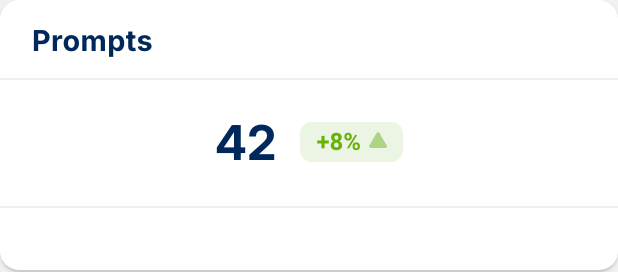
AI Models
Distribution of the total number of prompts found across different AI platforms. The analysis captures the models used on publicly accessible platforms – the versions that regular users also use. This ensures that the data reflects actual visibility in common AI applications.
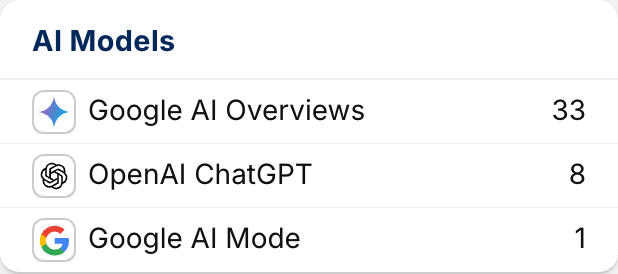
Countries
Regardless of the selected language setting, this box provides an overview of the number of prompts assigned to the entity that we monitor in different countries.
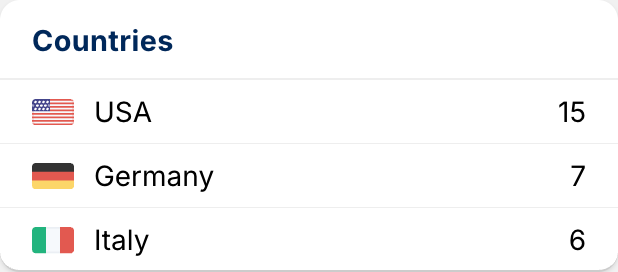
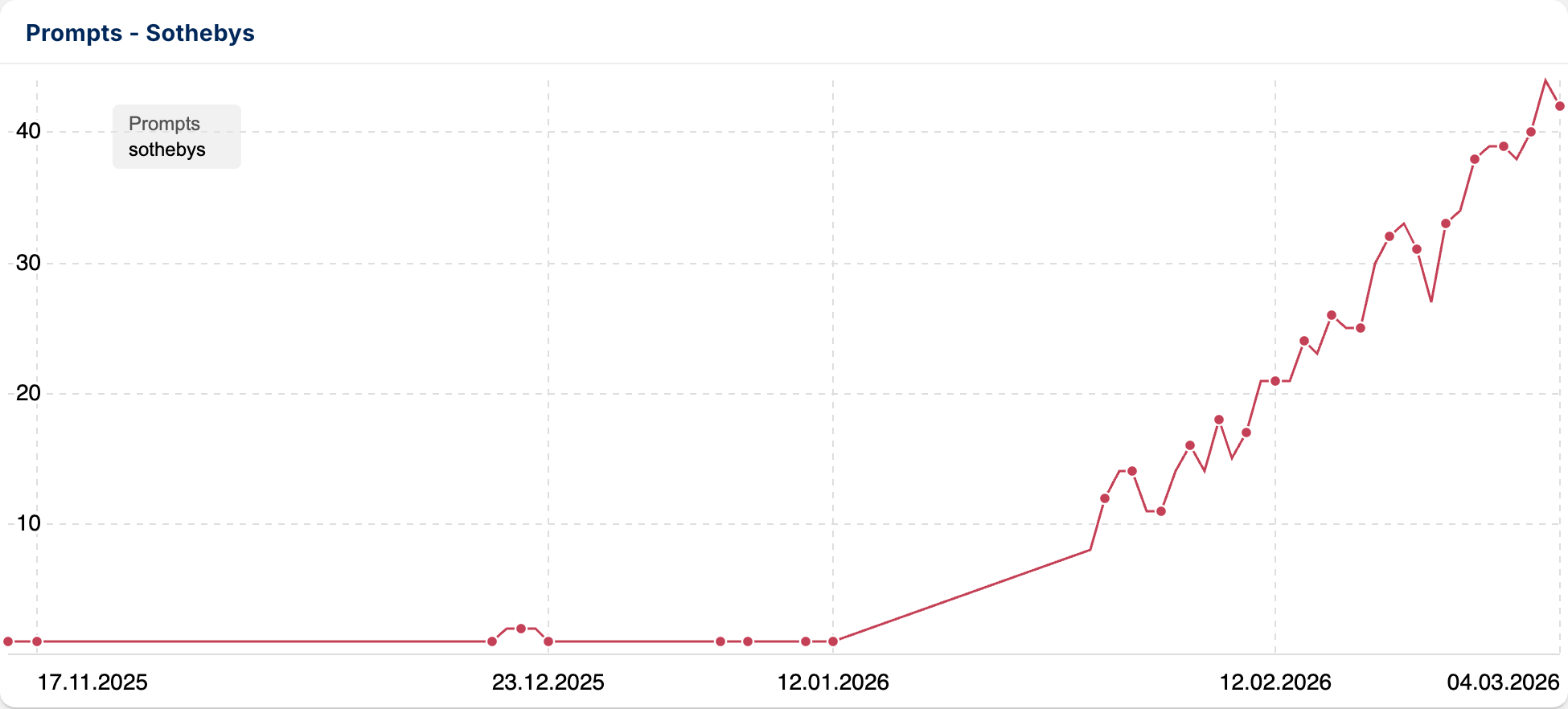
Prompts History
Development of daily prompt counts over the selected time period. The graph makes trends and temporal fluctuations in the entity’s visibility traceable.
In-Depth Analysis and Features
This content serves as an initial reference point, but isn’t sufficient for detailed analysis. For that, you can view the various contents, including the prompts we’ve analyzed, in more detail in the left navigation and dive deeper. The individual advanced features are:
- Prompts: In the detailed view, you see all prompts we’ve analyzed, including the AI model, country, complete response, and the option to view the response again in detail with all sources and entities. This helps you understand the context in which the investigated entity appears.
- Competition: Here you see all competitors we’ve identified that are also mentioned in the prompts we’ve examined for your entity.
- Entity Environment: Here you analyze the semantic neighborhood. You see which other brands, products, or terms the AI frequently mentions in connection with your entity.
- Sources: This function shows you which external websites and domains a chatbot cites as sources for its responses. This way you can see which pages appear as references in AI responses and how often your domain or competitors are mentioned there.





