
SISTRIX SectorWatch reports show you the blueprints for success. We surface and analyse the leading URLs in SEO and GEO so that you can gain an advantages from them. Now you can get even more data by extending our SectorWatch process with the Screaming Frog SEO Crawler. This article walks you through the process, from keyword to actionable graphic.
- Background
- Choose your sector
- A targeted, curated list of keywords
- A targeted list of chatbot prompts
- Set up Screaming Frog SEO Spider Crawler
- Setting up the crawler to call the AI API
- AI speed optimisation
- Extract the best URLs from SISTRIX and import them into the crawler
- Crawl and categorise results
- Export Results from the crawler
- Output results
- Can't Claude can do all this?
- Summary
Discover how SISTRIX can be used to improve your search marketing. Use a no-commitment trial with all data and tools: Test SISTRIX for free
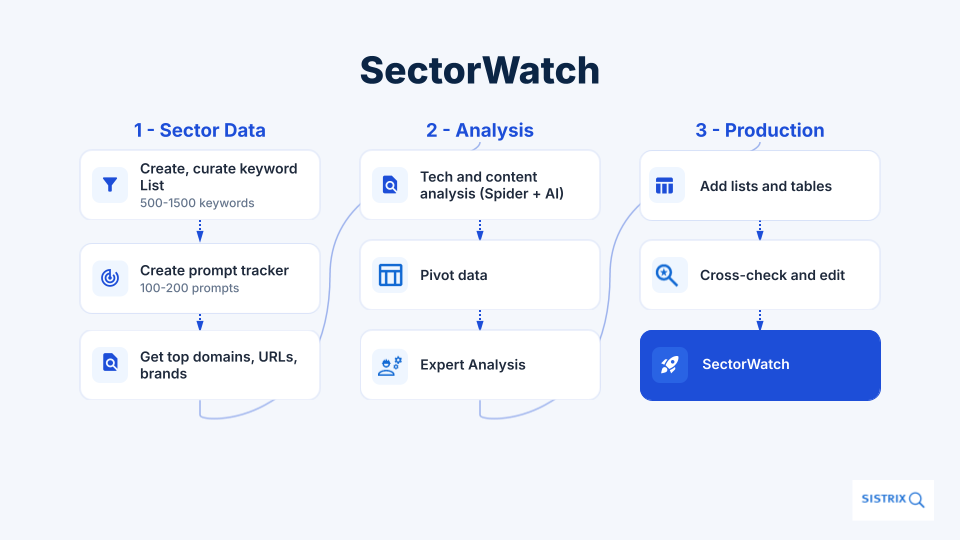
In short, the process uses SISTRIX Keyword Lists as a starting point for discovering the most visible ranking and chatbot-cited URLs. The URLs are then be crawled to extract more information about content type and technical SEO information. The results guide you, for your chosen topic and intent, to the best content formats and technical considerations.
The process is shown in detail below
- Choose your sector
- Curate a list of keywords and process these in SISTRIX
- Generate a targeted set of prompts and track these in SISTRIX
- Set up the Screaming Frog SEO crawler
- Crawl, categorise and export results
- Analyse the results
Background
Ever since Tom Jeffery, head of SEO at Screaming Frog, posted his thoughts about how SISTRIX and Screaming Frog can be used together I have been wondering how I can use the process within the SISTRIX data journalism team to enhance the SISTRIX SectorWatch reports.
Not only do I want to give readers more information about successful URLs from the SEO world but I want to bring AI Chatbot results into the reports.
To that end I have tested a number of methods, talked it over with colleagues and SEOs, and am happy that this is providing really good value and quality.
Choose your sector
A highly niche or new sector may not result in enough keywords for analysis but with data on billions of keywords most sectors will be covered in SISTRIX. In the past, SectorWatch has analysed paddling pools, sustainable holidays, spring cleaning and many more.
The results naturally depend on the quality of the input and it’s here that careful selection and curation of keywords might be needed. This is an important stage in our SectorWatch work.
A targeted, curated list of keywords
A minimum of 500 keywords will be required here but, for a more accurate output, up to 2000 keywords can be used.
The intent of the keywords is very important and you have some options. Do you want to find the best examples for people that search for products and solutions – a bottom of funnel view – or do you want to see the products and brands that show up for more generic searches – top of funnel view.
If you’re a product manager, you’ll choose the bottom-of-funnel keywords and prompts to find out where your products sit among others. If you’re an SEO looking for content-marketing opportunities and inspiration for early-stage searchers, you’ll want the top-of-funnel approach.
In this example we’re looking at the products and solutions in the market to find the URLs that are linked the most – the sort of content that a user might be viewing in later stages of a customer journey.
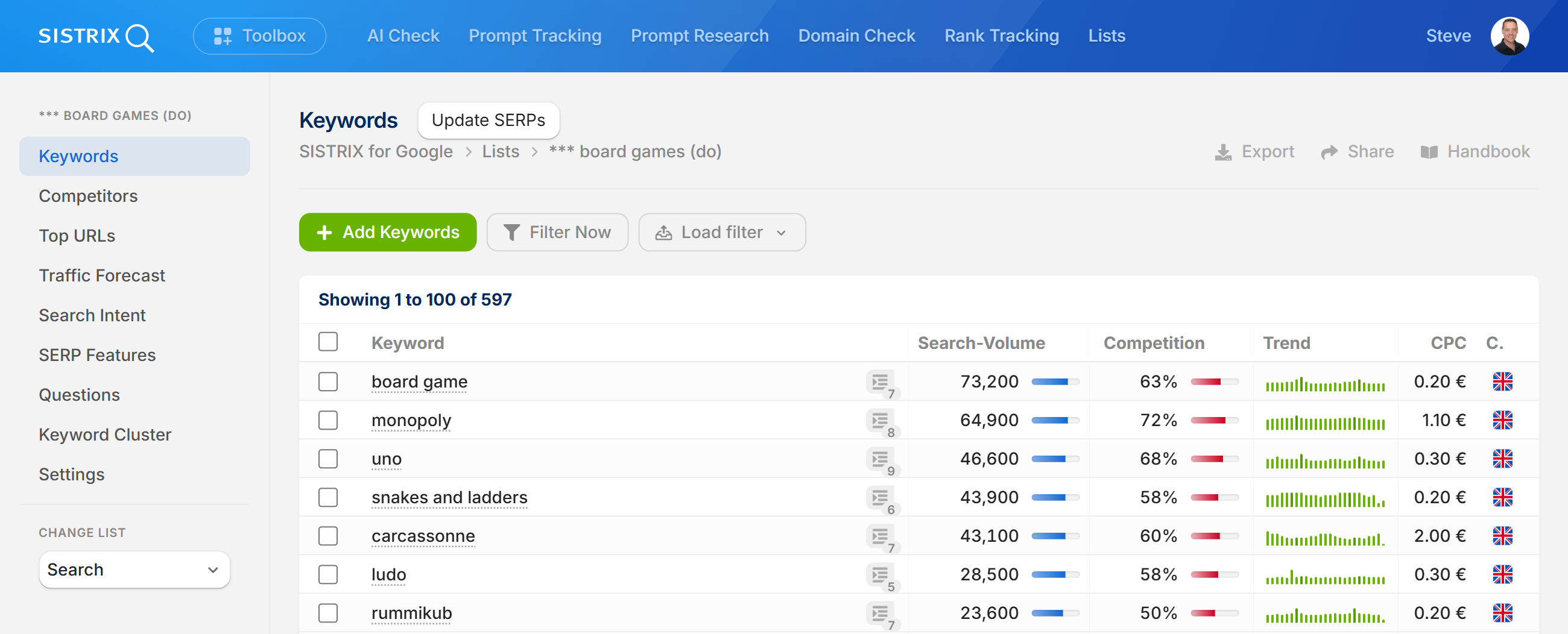
Harvesting the keywords is a process of looking at rankings for key suppliers and collecting them all in a SISTRIX List. A final curation may be needed to clean up the list and some filtering can be used to remove low search volume terms.
In this example we start our keyword research at Boardgamegeek, which was ranking for Monoploy and has a well-targeted directory of game forums.
By adding an initial set of keywords to a list you’ll expose more domains and URLs that can be used to harvest more intent-relevant keywords. Be careful not to harvest keywords from a single domain. Classic keyword research methods can be used here along with support from Chatbots to find the important products from the sector.
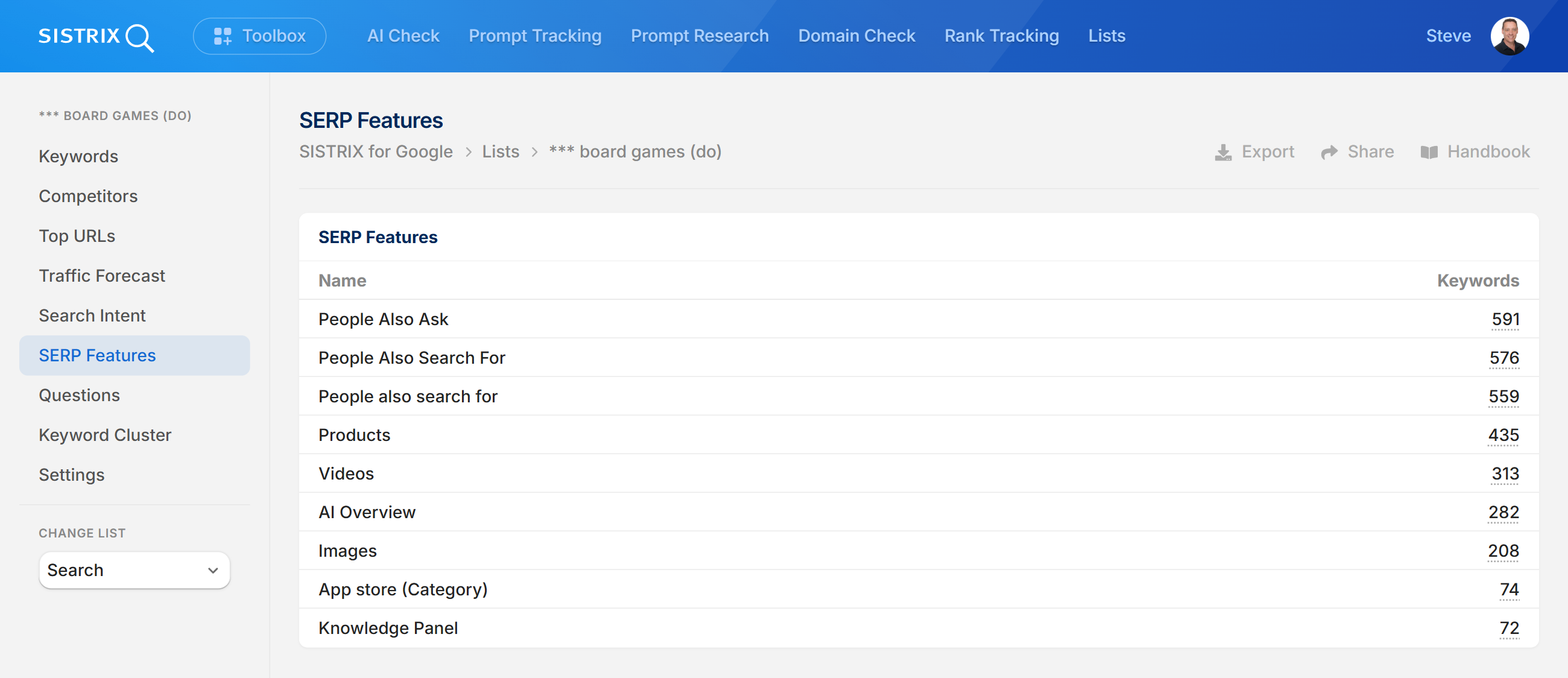
Once the SISTRIX List is complete, trim it down to the top 500-1000 keywords. You’ll have direct access to:
- Top domains
- Top URLs
- Keywords by search volume
- SERP features, such as AI Overviews, appearing in results
- Long-term search volume trends
- Keyword clusters found across the ranking URLs
Tip: This SISTRIX List can be kept and reviewed over time to reveal even more data.
A targeted list of chatbot prompts
Now that you’ve got your keywords, it’s time to create a list of prompts. Prompt creation can be done in many ways but in order for us to get the result types needed, in a very short time, this process uses AI to create the likely user questions that match our target intent and journey stage.
SISTRIX AI Prompt Research can also be used for inspiration.
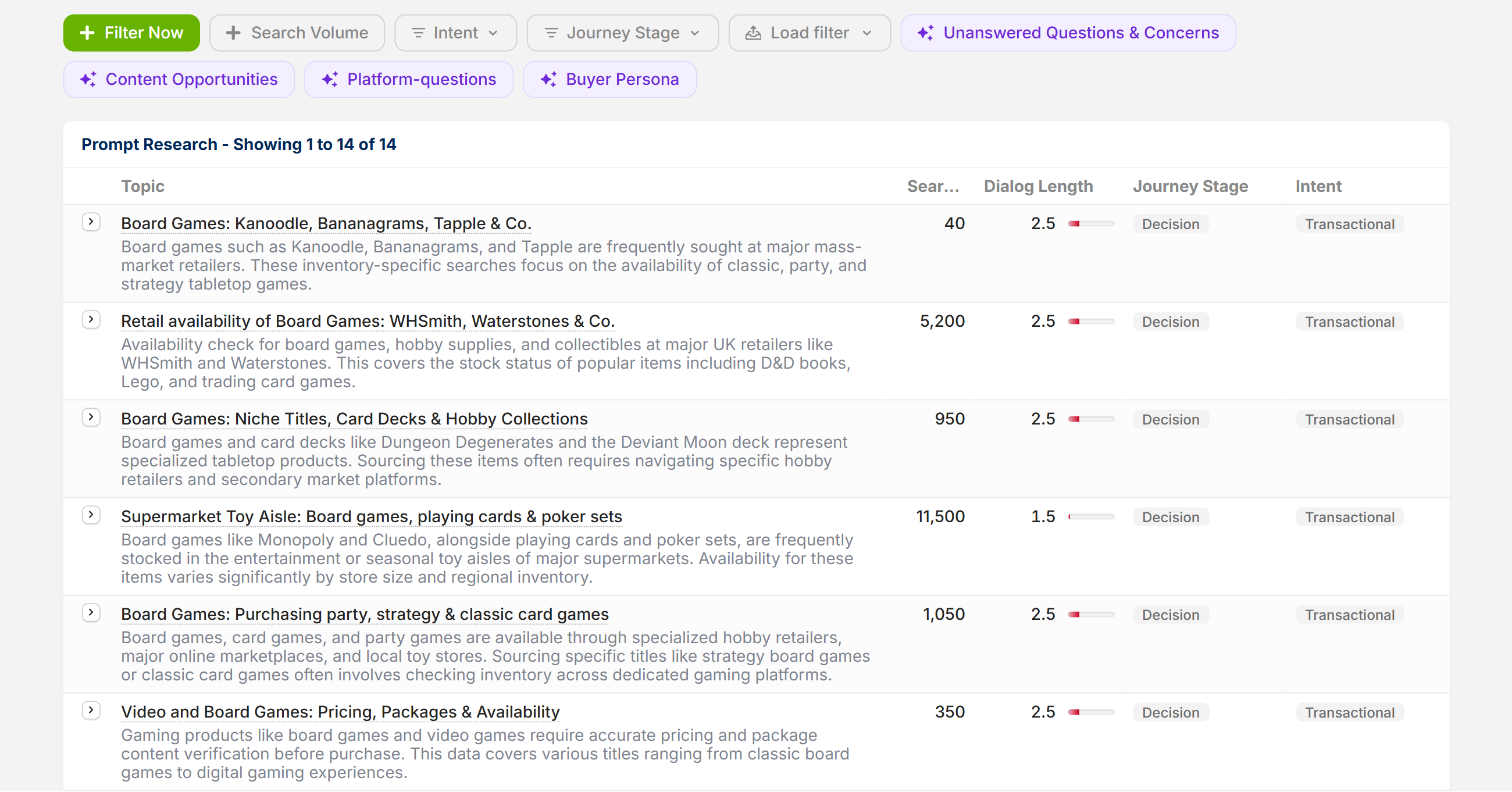
In our example, we want to know the suppliers, by brand and domain, that Chatbots recommend when users are about to go into the final stages of a purchase. This is the point at which a user could jump from the Chatbot into an ecommerce website.
Using Google Sheets and Gemini one can very easily form sensible questions. Add the top 200 keywords, sorted by search volume, to the Sheet and then ask Gemini to create the targeted prompt. Here is an example question that can be used within Google Sheets to formulate the prompt queries:
For each of the keywords in column A, create a question that a consumer is likely to ask when looking to buy this online. Create one question per keyword and add the question to the table.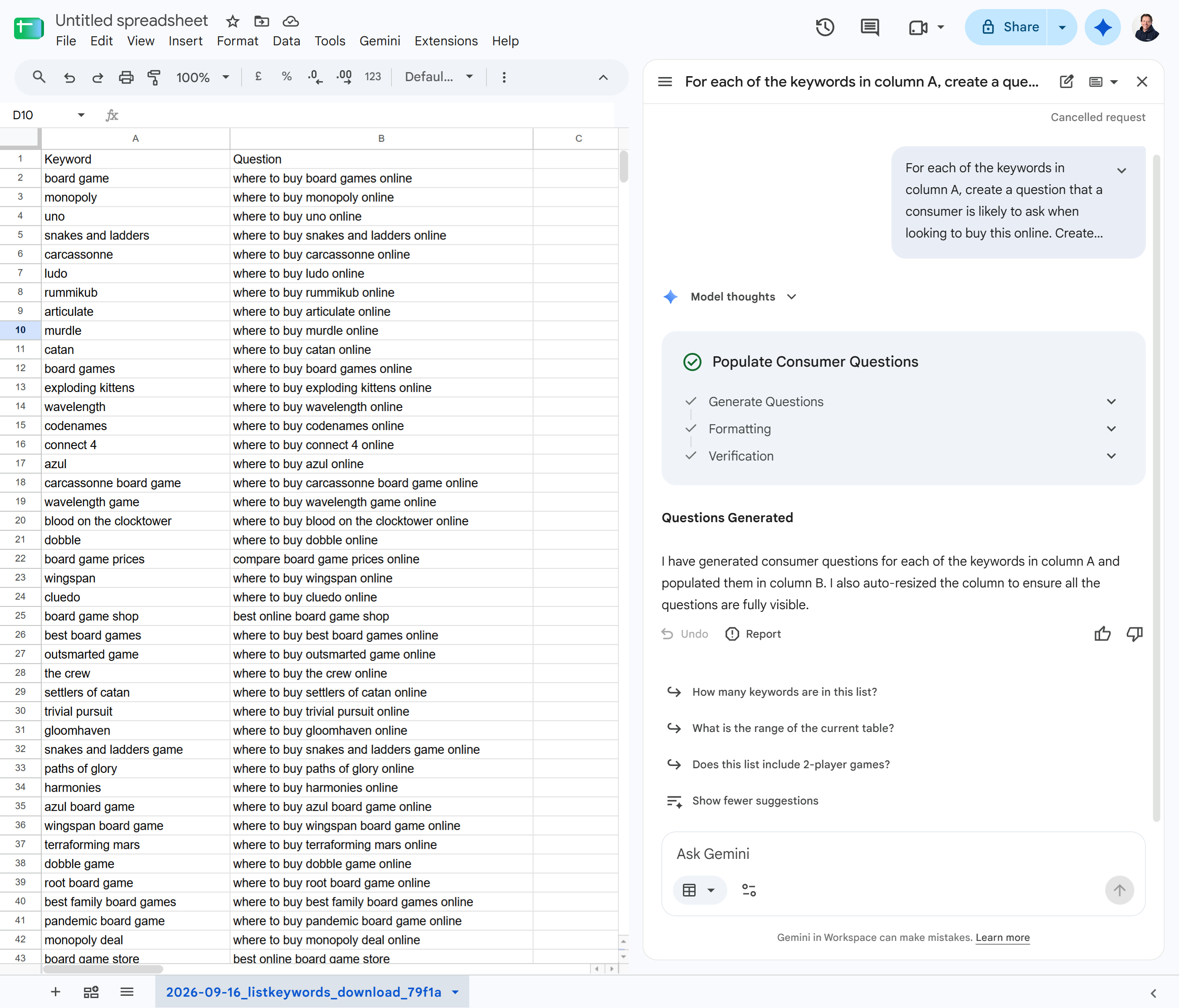
Again, cast a human eye over the results to remove any that might not be relevant. When you’re happy, these prompts can be added to a SISTRIX Prompt monitoring project.
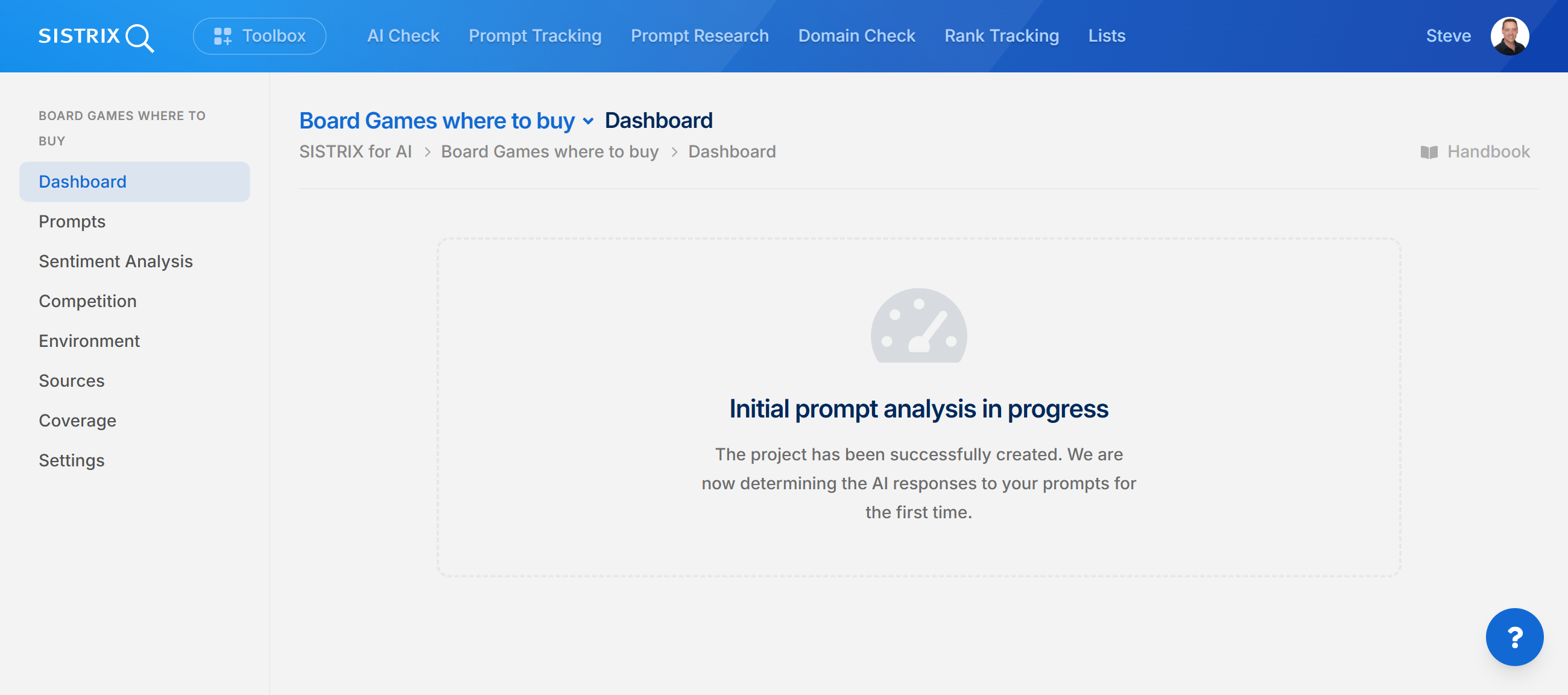
Once the prompts have been added to the prompt monitoring project it will take a few hours to get the first full set of results back. Check back on the project the following day.
Set up Screaming Frog SEO Spider Crawler
You’ll need to install the SEO spider on a PC for this. You’re probably familiar with it already but if not, download it from here.
You’ll be using List mode into which you’ll import lists of URLs but before you do that, you’ll need to complete the following setup.
- Decide whether to honour robots.txt restrictions. The crawler can be set up to ignore robots.txt
- Decide what agent to use. Spoofing the agent id can increase the number or URLS that are accessible.
- Configure the SEO Crawler to extract and store HTML and Rendered HTML. Configuration -> Spider -> Extraction. Select “Store HTML” and “Store Rendered HTML”.
- Assuming you’re using Gemini, enter an API key for Gemini within the API Access Configuration section and select “Connect”.
Setting up the crawler to call the AI API
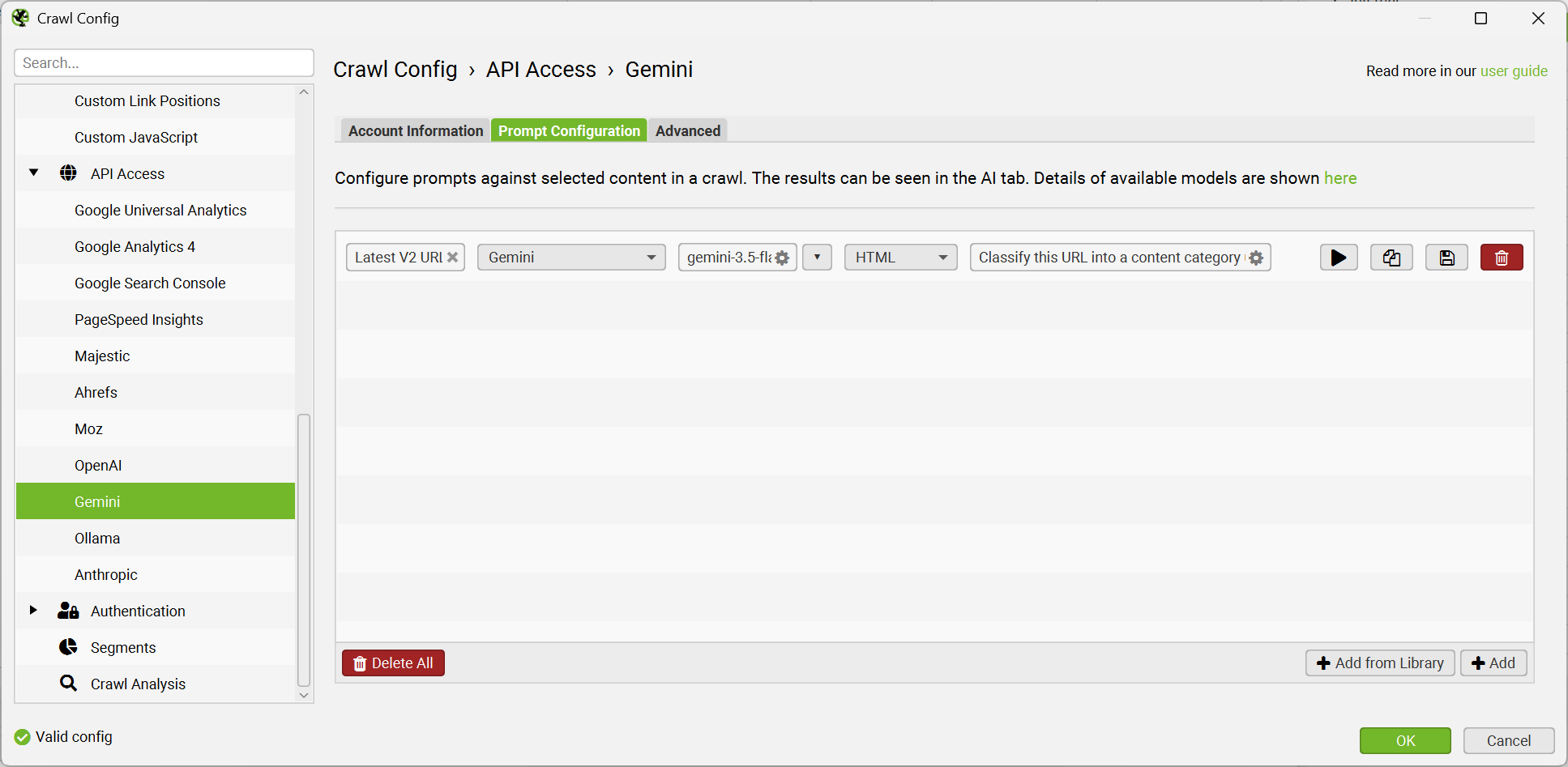
Staying within the API settings, select “Prompt Configuration” where the prompt details can be configured.
Use a fast AI model for the quickest responses. Gemini 3.5 Flash Lite can run faster than the crawling and is the fastest model tested at the original time of writing this how-to. See the optimisation tip below.
The AI promote is designed to bucket content types (not business types or intent types) based on the content. Here’s the Gemini Prompt being used.
Categorise the following URL into a content category using the URL and Page Text information below.

If the Page URL clearly shows a common video website such as YouTube or Vimeo, put it in the "Video Page" category. Otherwise use the Page Text below to put the URL into one of the following content categories: Listicle, How-to, News, Definition, Review, Data study, Product, FAQ, Opinion.

If the result is inconclusive, categorise the URL as UNKNOWN. Output only one category and do not add any commentary or notes.

Page text: {PAGE_TEXT}.
URL: {DISPLAY_URL}
Here’s an overview of the prompt configuration.
AI speed optimisation
The Gemini configuration in the SEO crawler were modified to speed up the calling process. Set the Chat Requests Per Minute to 3000. This is part of the Advanced settings.
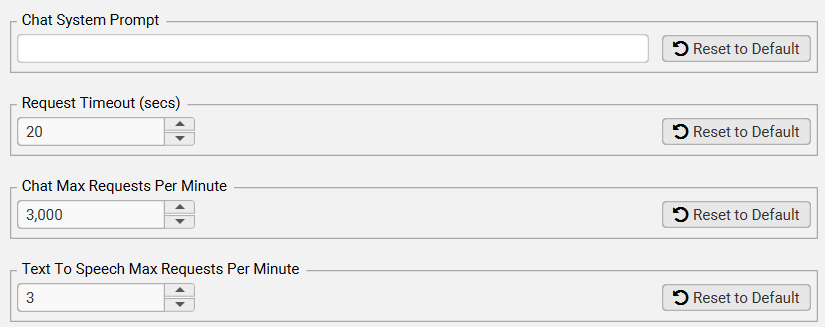
Note that despite optimisations, some URLs will remain blocked. This occurs because of CDNs and firewall configurations and in tests, between 10 and 20% of URLs were not accessible for crawling. YouTube ‘content’ – i.e. the text on the video page, is thin and rarely matches the content of the video so that is placed into a special category. Segmentation in the crawler, based on the URL, could be used to mark these URLs as video content without sending the content to AI.
Extract the best URLs from SISTRIX and import them into the crawler
There are multiple areas in SISTRIX where top URLs are available.
At a single domain, path level – selecting a directory and view URLs sorted by visibility shows the most successful URLs. [SISTRIX exmaple data]. An example use case would be looking at the most successful URLs to see if they have any technical or content features that set them apart from lower ranking URLs.
In SISTRIX keyword lists. After creating a targeted keyword list you can instantly access the top URL features. Knowing the content types and technical SEO features that are successful amongst the most visible URLs will help content planners.
For larger sites, a SISTRIX keyword rank tracking project will expose the top URLs within a domain that are ranking across the chosen keyword set. Knowing the content types that are successful can help with link and content architecture and content optimisation
In AI Prompt monitoring projects. A targeted set of prompts results in a list of the most cited URLs. If you would like to know what gets cited in AI answers, this will help. If the SEO lists are similarly intent-focussed it can be valuable to compare the difference in content types successful across SEO and GEO.
In AI Check. entering a brand or a website will show you the URLs that also get mentioned in prompts for which the brand or domain are cited. This can help brand managers create the right type of content for Ai Chatbots.
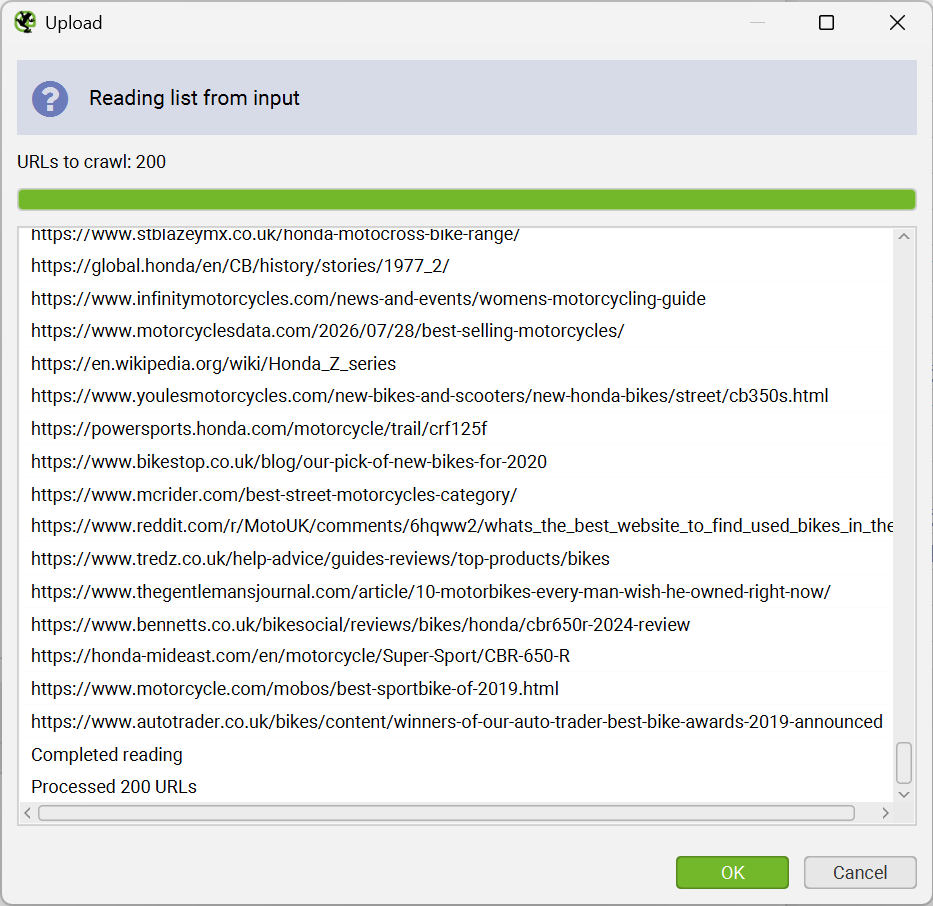
In all cases, URLs can be exported as CSVs which can be quickly imported into the Screaming Frog SEO Crawler
Sanitise the SISTRIX CSV exports to remove other data before importing into Screaming Frog SEO Crawler. A simple single-column list of URLs in a CSV can be imported into the crawler.
Copy and pasting from a Sheet column is easiest:
Crawl and categorise results
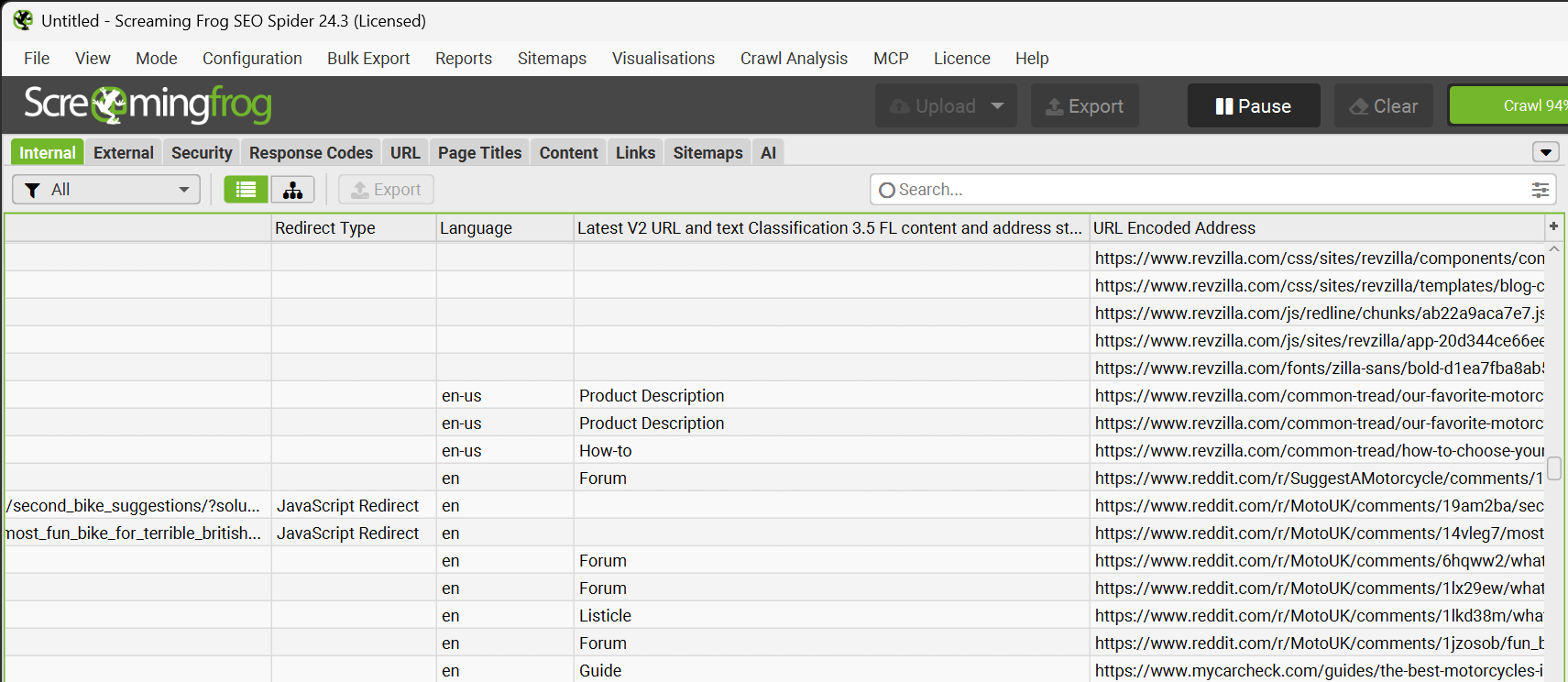
Crawling will start as soon at the URLs have been imported. The crawling rate averages about 2 URLs per second and about 0.5 per second analysed by Gemini 3.5 Flash Lite.
As URL content is analysed, a new column is populated in the results:
Export Results from the crawler
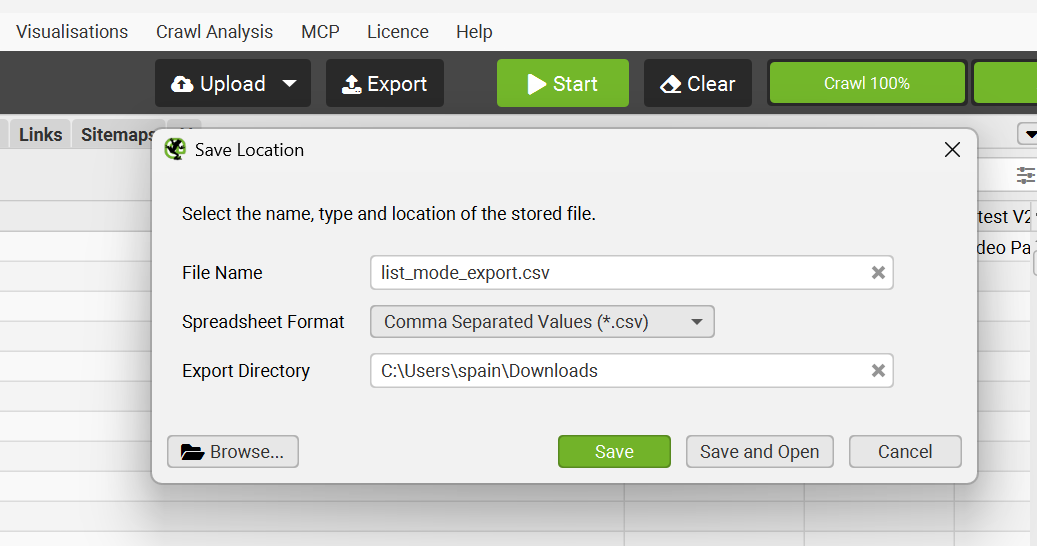
Exporting from the SEO Spider can be done in various ways but here we are exporting the CSV and then importing it into a Google Sheet. The Sheet can be cleaned to only include relevant columns.
Output results
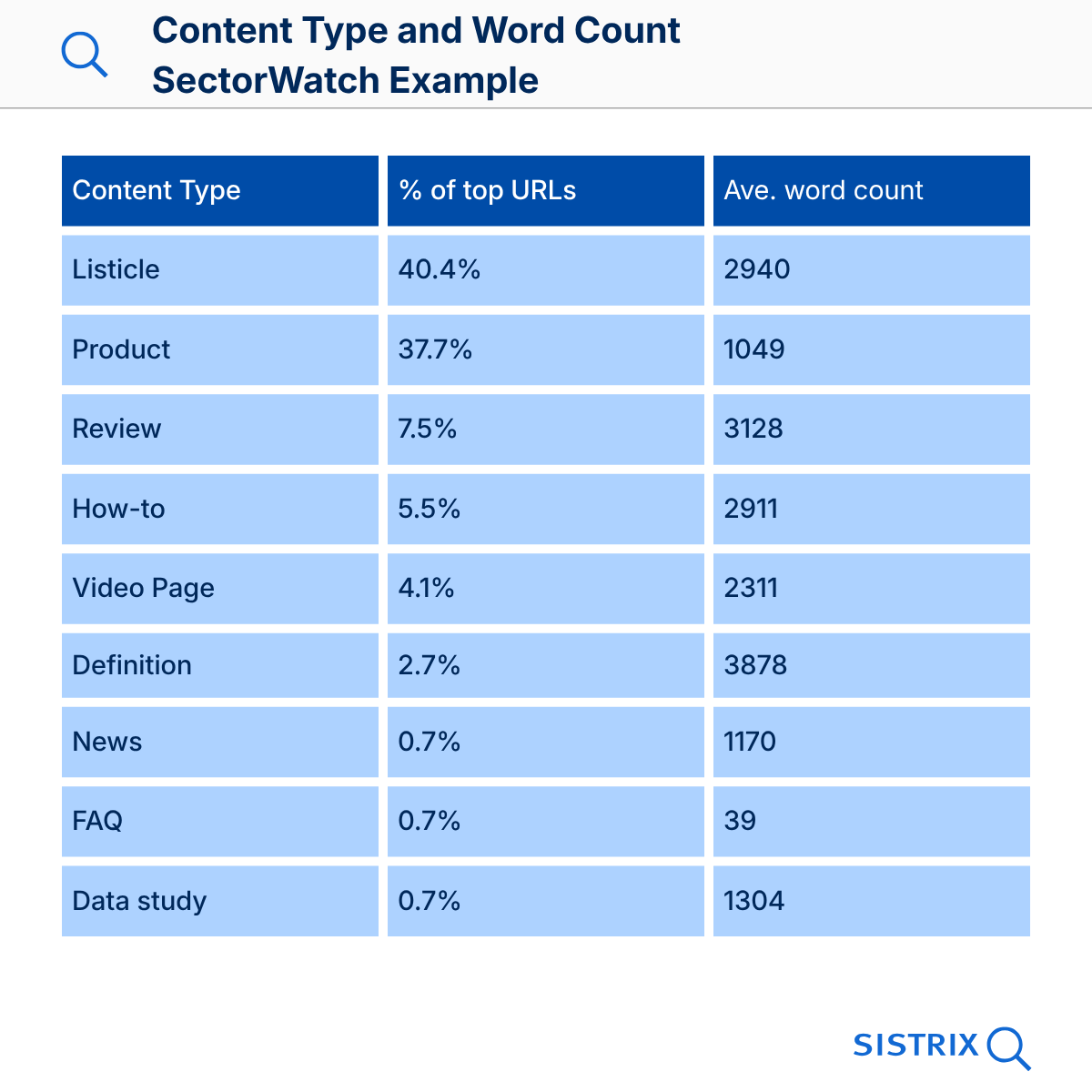
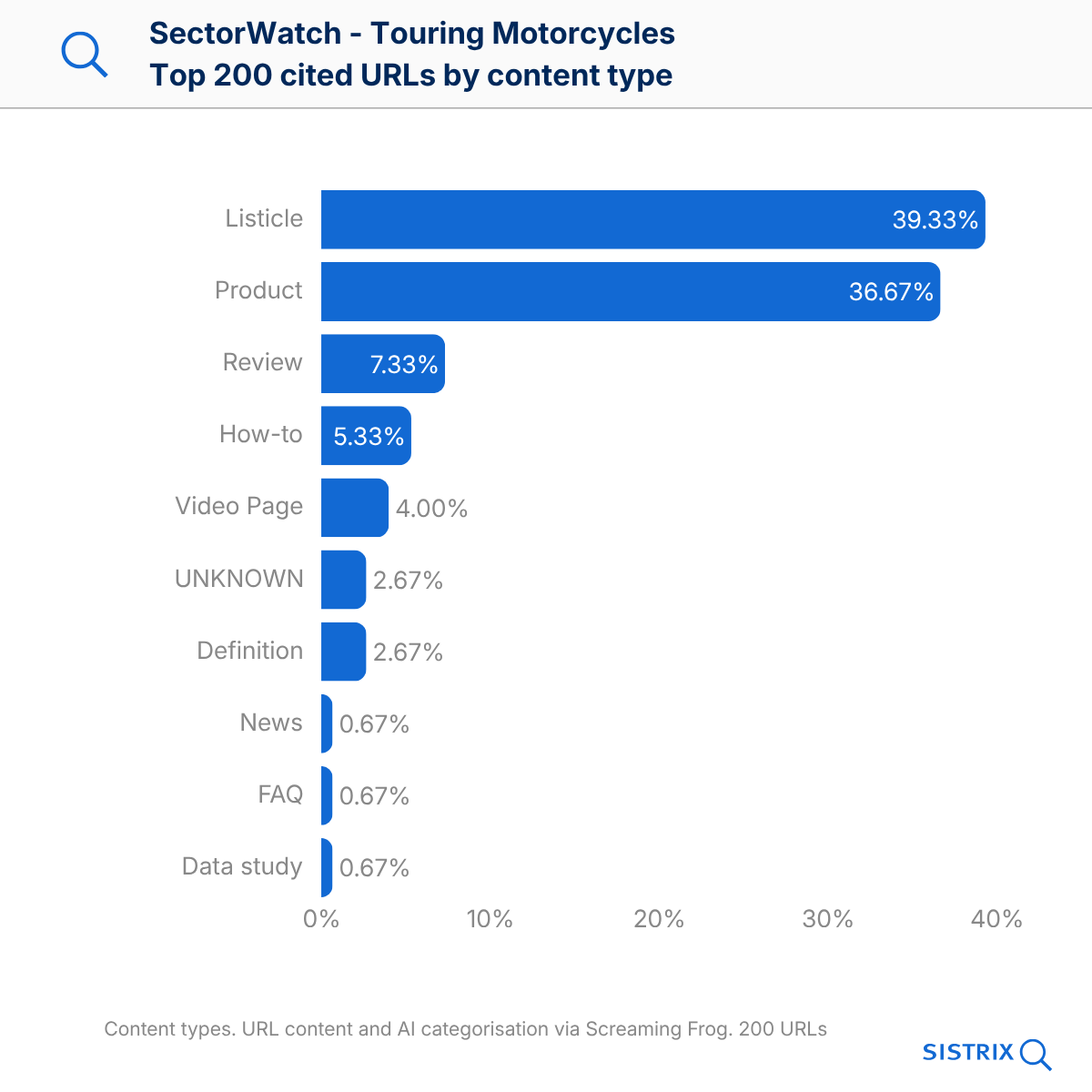
After importing it into a Sheet you can select the relevant columns and insert a Pivot Table to organise the data. You can create graphs within Sheets or, as was done for the image below, style your graphics in Canva.
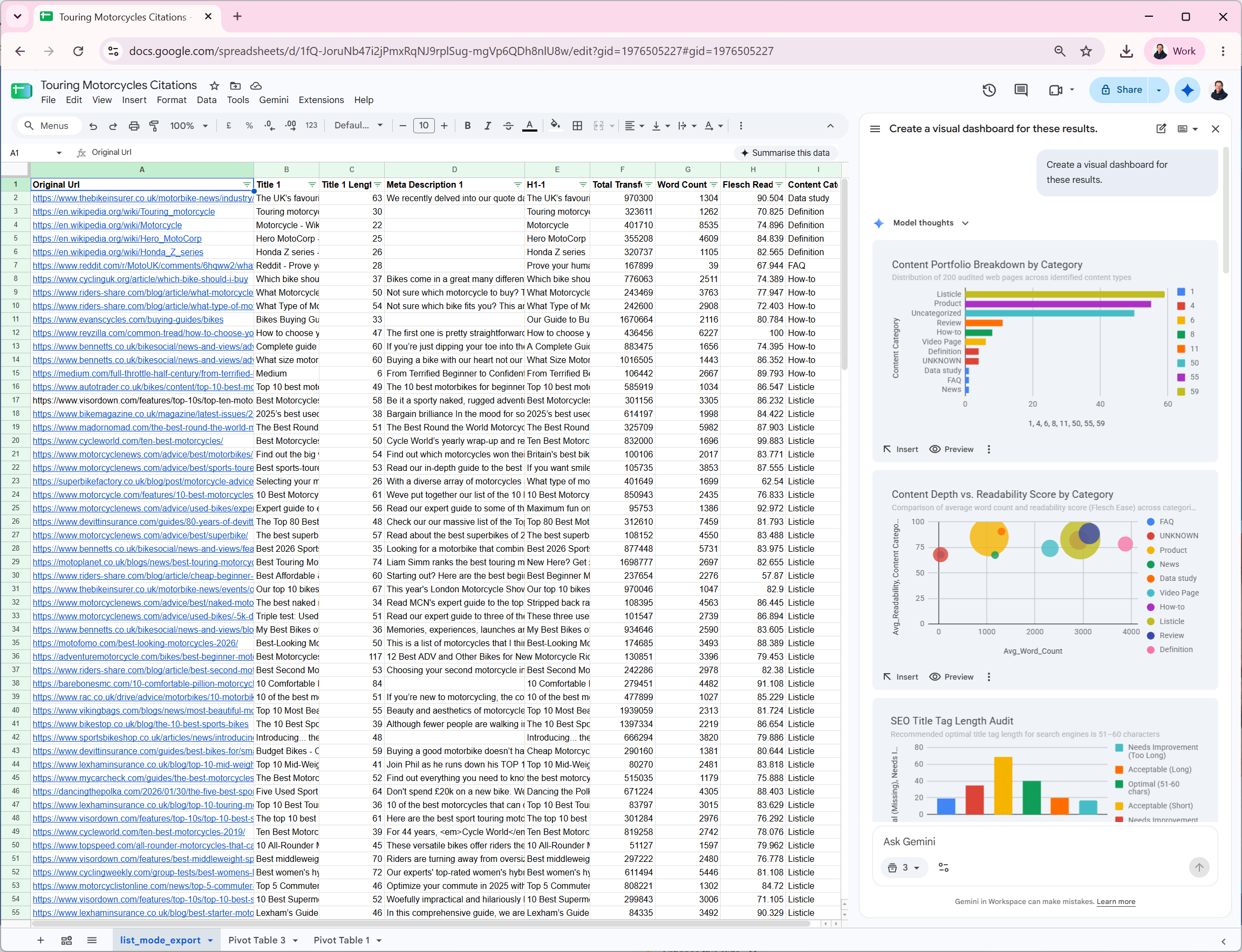
Gemini in Sheets can also be used to do general analysis of the data.
Tip: Clean all the unwanted columns out of the Sheet and ask Gemini to work through the data to provide analyses of the data.
Can’t Claude can do all this?
Claude’s web-fetch component can, in theory, do all of the above but in my tests I saw these problems. 1) Claude provides results for URLs that are not available and must be specifically prompted to report on unavailable content. 2) The token usage / cost is high. 3) The results are not stored in a private database and 4) the method is not configurable. For a one-time content crawl and analysis, Claude might be a good option but if you want more technical SEO information or if you would like to repeat the analysis more than once over a period of time, a crawler like Screaming Frog is the way to go.
Summary
SISTRIX and Screaming Frog SEO Crawler can be used together to enhance the data available from top URL lists. By using the crawler to analyse the URL, render the content and to pass that to an AI tool for analysis, results can be exported and graphed or re-analysed by AI tools to find key features that can help create the right content for the intended purpose.
Focus the keywords and the prompts at the right part of the customer journey to extract best practices that apply to both the start, and the end of the search engine or chatbot journey.
This process is repeatable and quick, requires little SEO skill to generate results and the results can be used to guide content strategy in order to get the best visibility in search and chatbot engines.
Test SISTRIX for Free
- Free 14-day test account
- Non-binding. No termination necessary
- Personalised on-boarding with experts