
AI Mode can now be tracked in Prompt Monitoring, brand recognition has been significantly improved, and Onpage Projects have undergone a complete overhaul. In addition, there is a new Looker Data Studio Connector for customised reporting and a redesigned navigation. All SISTRIX updates from the first quarter of 2026 at a glance.
Whilst Google appears to have won the race for artificial intelligence with Gemini and AI Overviews, publishers are facing a new reality: in Germany, AI Overviews are already appearing in one in five searches and are causing click-through rates to drop massively.
The focus is therefore shifting away from classic rankings towards mentions and citations within AI responses. That is why at SISTRIX we have recently focused on taking a holistic view of visibility and its analysis and breaking down rigid silo thinking.
To reinforce this ambition visually as well, we have fundamentally redesigned the navigation in SISTRIX, among other things. More on that further below. Here is an overview of all the key updates from the first quarter of 2026:
SISTRIX for AI/Chatbots
AI Mode in Prompt Monitoring
With the tracker in SISTRIX for AI/Chatbots, it is possible to regularly query self-defined prompt sets as well as additional metrics such as competitors or a sentiment analysis of the stored prompts. This allows individual visibility to be measured for specific prompts. To enable a comprehensive view, this area was significantly improved and expanded in the first quarter.
The individual Prompt Monitoring of AI prompts now supports not only ChatGPT, Perplexity and Google AI Overviews, but also Google AI Mode.
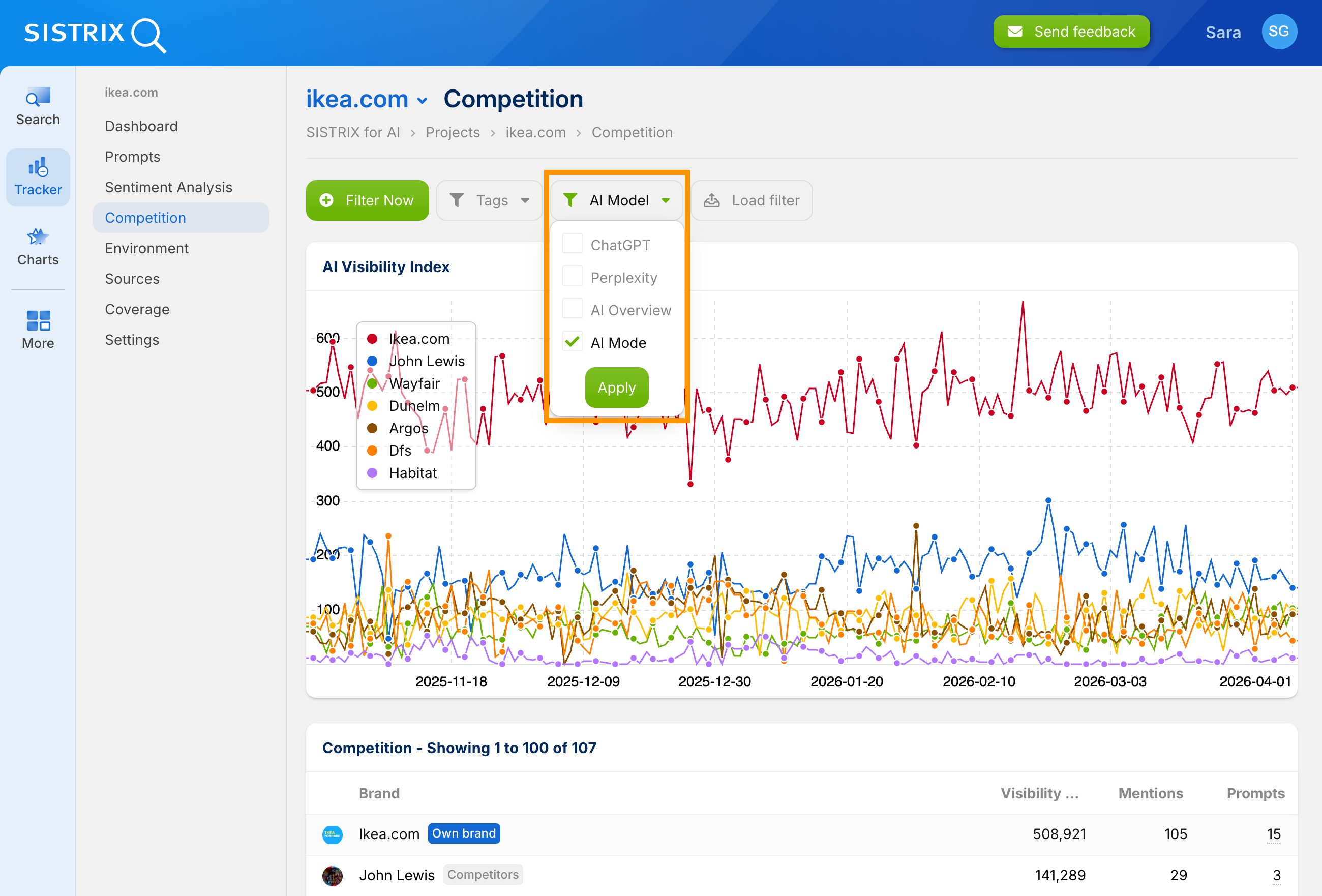
Anyone wanting to know how Google positions their own brand in the AI context will now get a complete picture across all currently relevant AI platforms.
Improved Brand Recognition
In the Search area for AI/Chatbots, we automatically query a set of several million prompts. This allows the visibility of brands, entities or domains across various AI systems to be recognised at a glance, even without an individual tracking project.
A key feature is the competitor view: it lists all competitors that were mentioned alongside the searched brand in the analysed prompts.
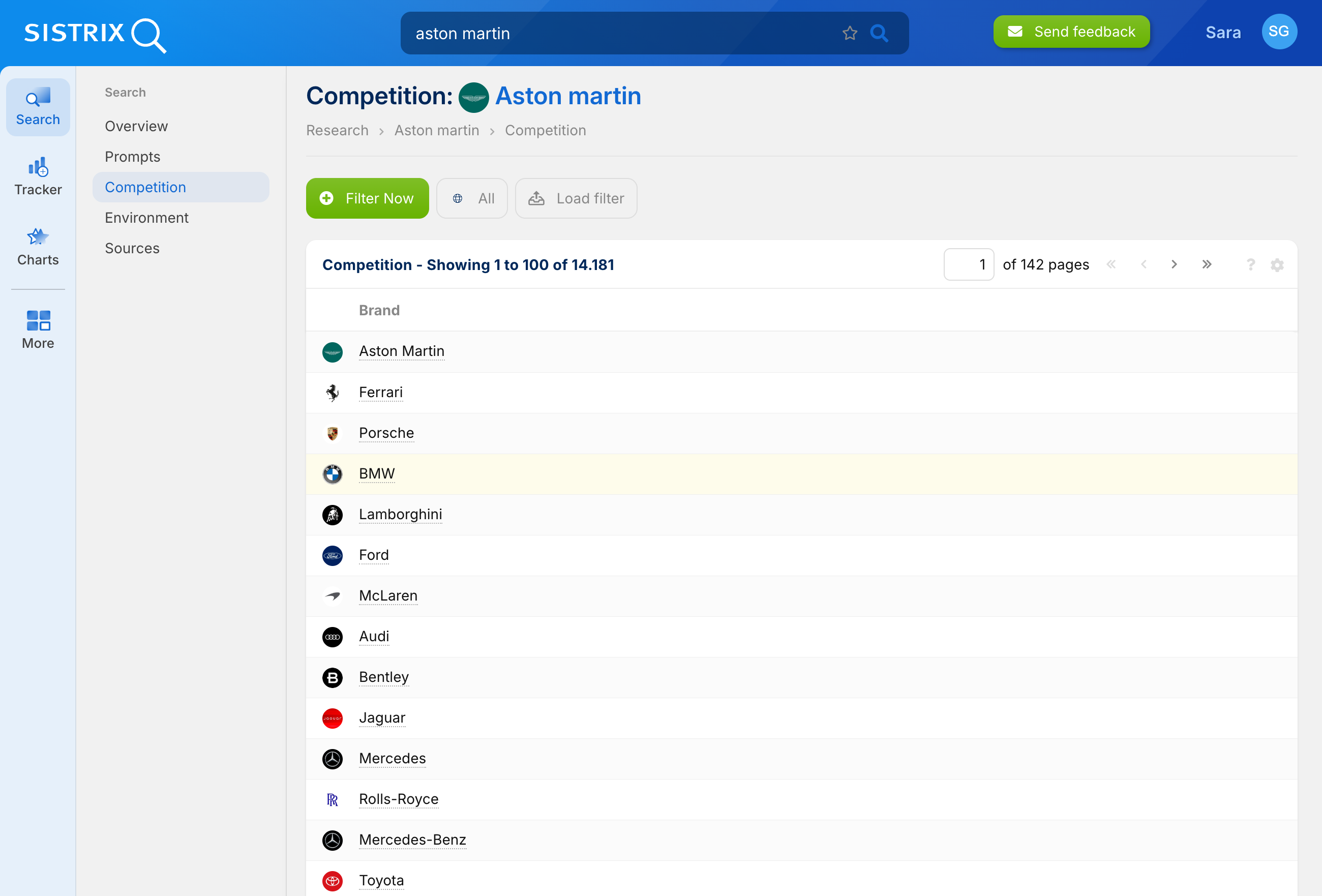
Recognising brands in AI responses is more complex than it first appears. Many brand names are simultaneously everyday words. Does “Shell” mean the outside layer of something or the oil company? Is “Boots” the pharmacy chain or something else? This often only becomes clear from the sentence context.
This recognition has recently been significantly improved. As a result, for many brands the number of recognised prompts has noticeably increased. The outcome: more precise data, fewer misattributions, and a clearer picture of when and how a brand is actually mentioned.
Outlook: Prompt Database
Analogous to the Google keyword database, we are currently working on a comprehensive prompt database. The challenge here: prompts are often unique, longer and more complex than classic keywords. Very few users enter the identical prompt, if at all.
We hope to be able to show first results within the coming weeks. Once the prompt database is available to everyone, there will be a detailed changelog with all explanations, as usual.
SISTRIX for Google
Onpage Projects: Comprehensive Overhaul
Individual projects enable the querying of self-defined keyword sets and the creation of a project visibility index. This reflects the performance development of the keywords and provides individual insight into the performance of the stored website.
In addition, Onpage Projects allow technical errors on a website to be identified. To further optimise the usability of this area, we have recently added several features based on user feedback.
Tag-based comparisons in the Project Visibility Index
The overall visibility of a domain is one thing. To find out how individual topic areas are developing, or how a particular topic cluster is catching up with the competition, keyword sets could previously be tagged when uploading to an Onpage Project in order to obtain an individual project visibility index.
We explain exactly how this works in the tutorial “Creating your own visibility index“. We have now expanded this feature.
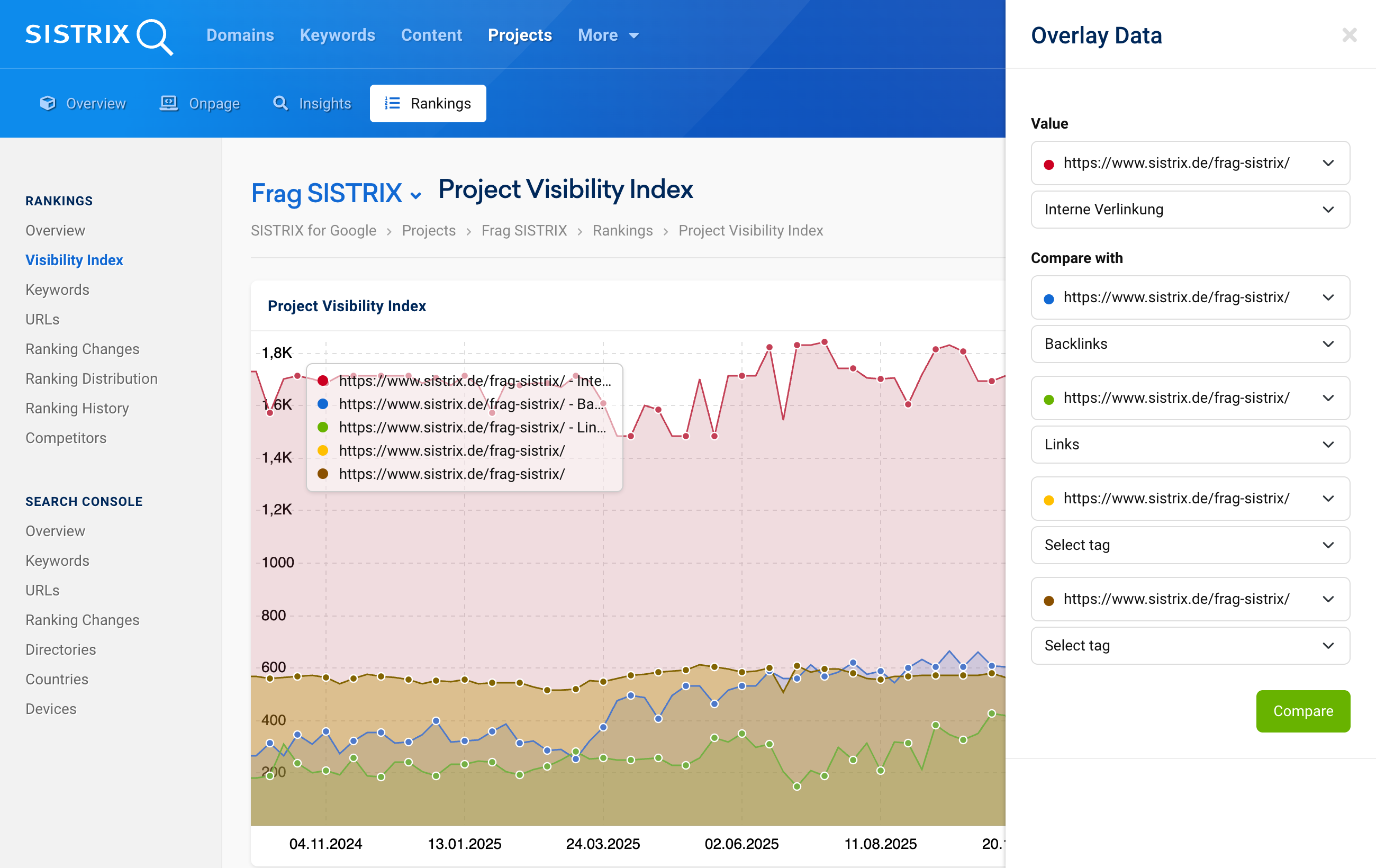
In the visibility index graph, it is now possible to combine and compare up to 5 domains with keyword tags. Simply open “Edit chart” via the gear icon, enter domains and optionally select tags. This makes it visible, amongst other things, how individual keyword groups are developing.
The feature allows both the comparison of different tags within the same domain and a direct benchmarking against competitors. For example, you can pit your own brand keywords against a competitor’s product pages, or benchmark different topic areas within a project against each other.
Contextual error messages with solution hints
Onpage Projects crawl websites automatically to identify technical errors and optimisation potential. But when a crawl stops midway, the troubleshooting often begins: is it the project configuration? The web server? A faulty robots.txt? Previously, you had to find the reason yourself.
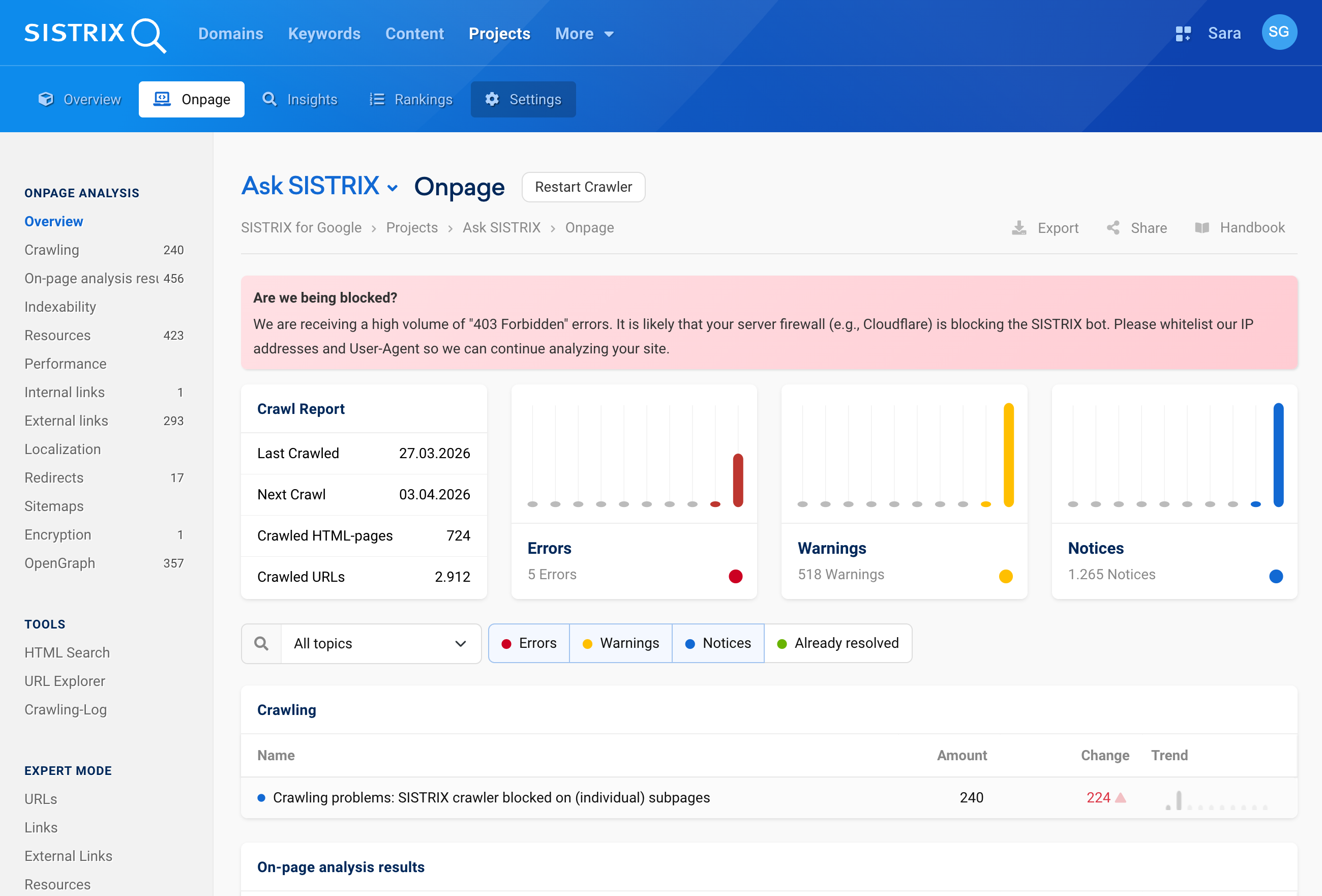
We now display a notice box with a clear explanation and a direct link to the relevant FAQ article whenever crawls are interrupted or do not run to completion. This makes working in Onpage Projects even easier and more time-efficient.
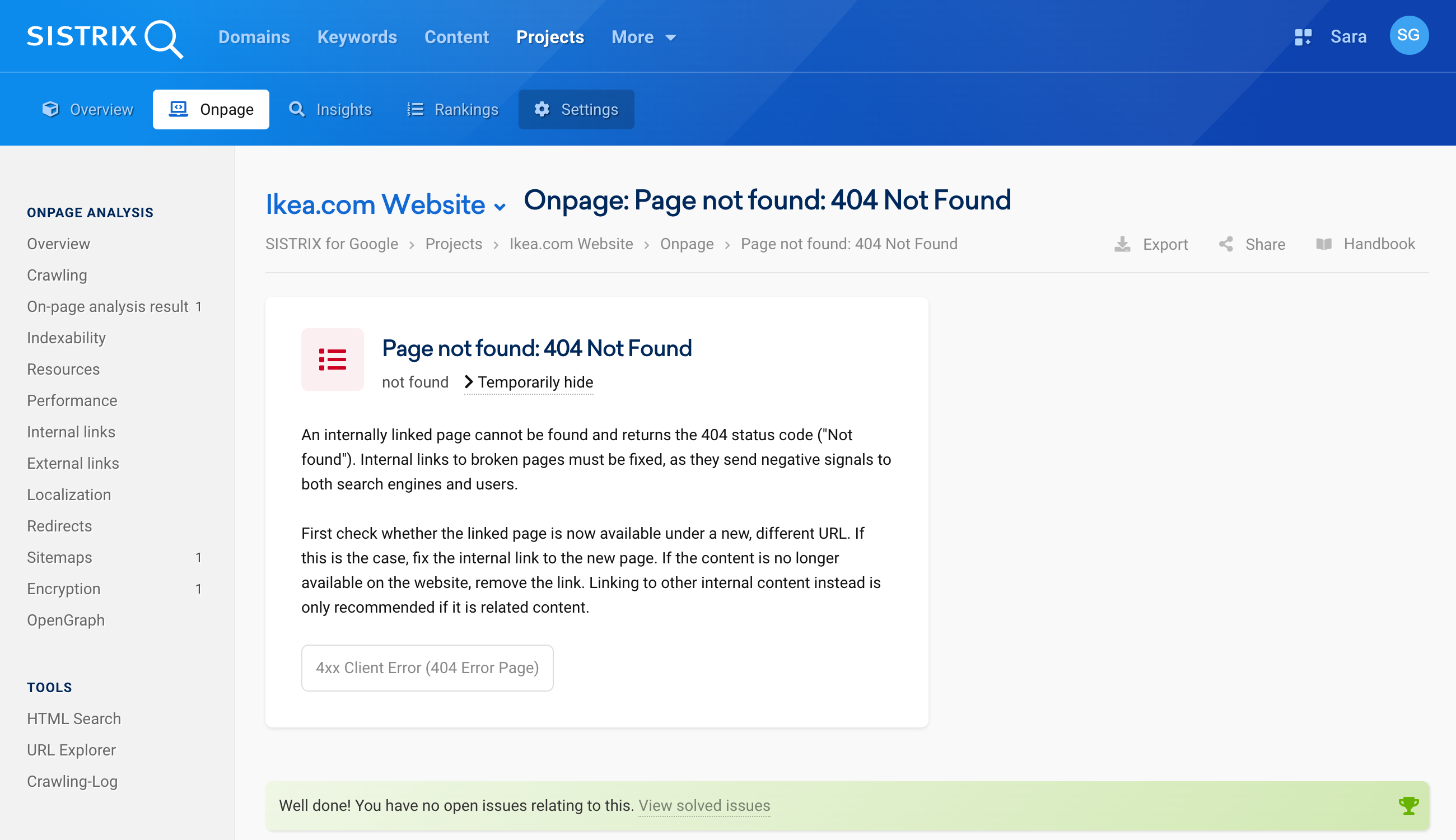
New error detection: Canonical pointing to 404
A canonical tag pointing to a non-existent page is a classic error with consequences. When a page has a canonical pointing to a 404 or 410 page, Google cannot determine which version should be indexed. Manual checks often fail to catch this. The crawler now detects this automatically and lists these cases as error messages.
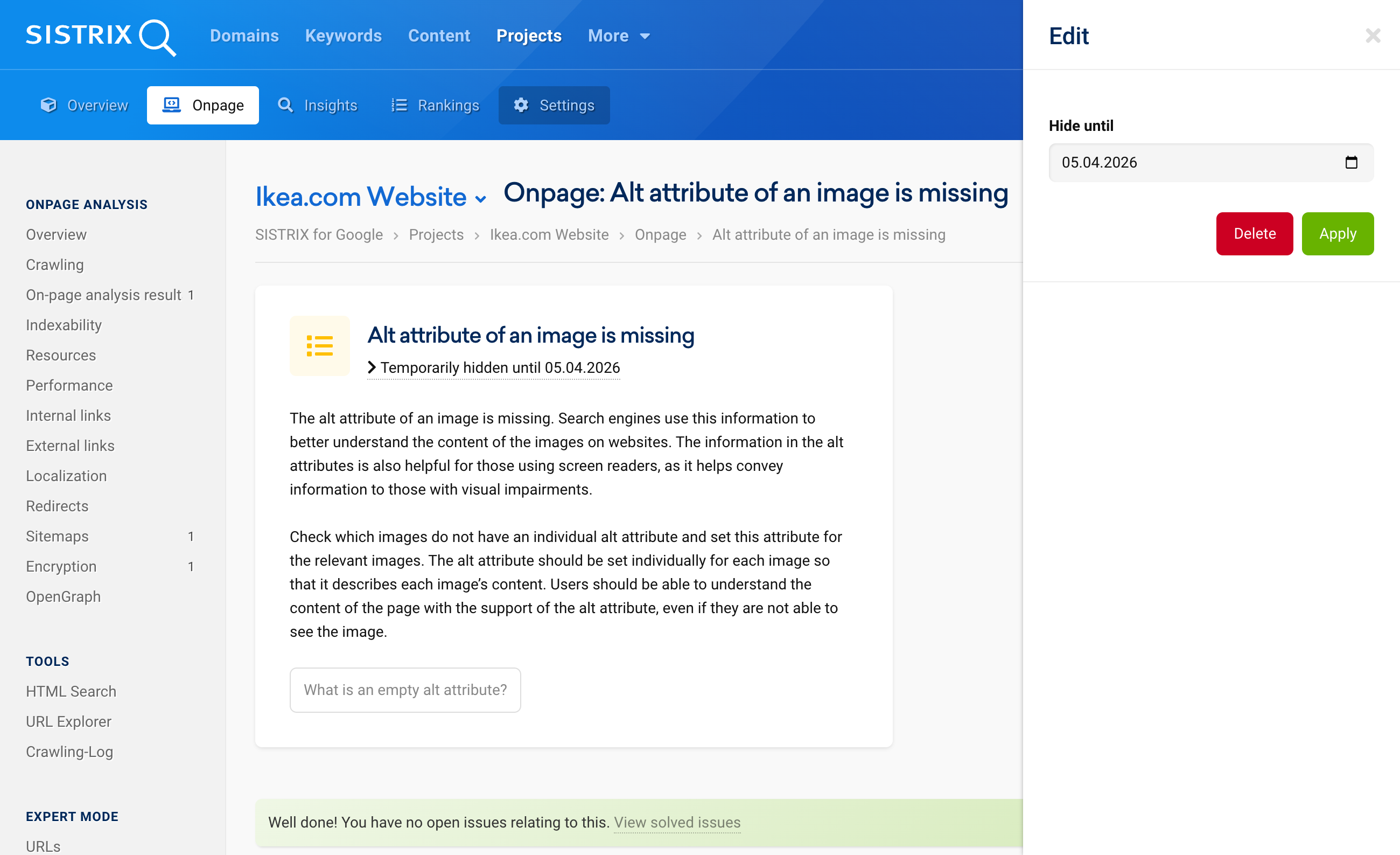
Marking error messages as resolved or hiding them
Some error messages cannot be fixed immediately. Yet they reappear with every crawl. Error messages can therefore now be marked as resolved or hidden for a specific period of time. Without a stored date, the error remains hidden permanently.
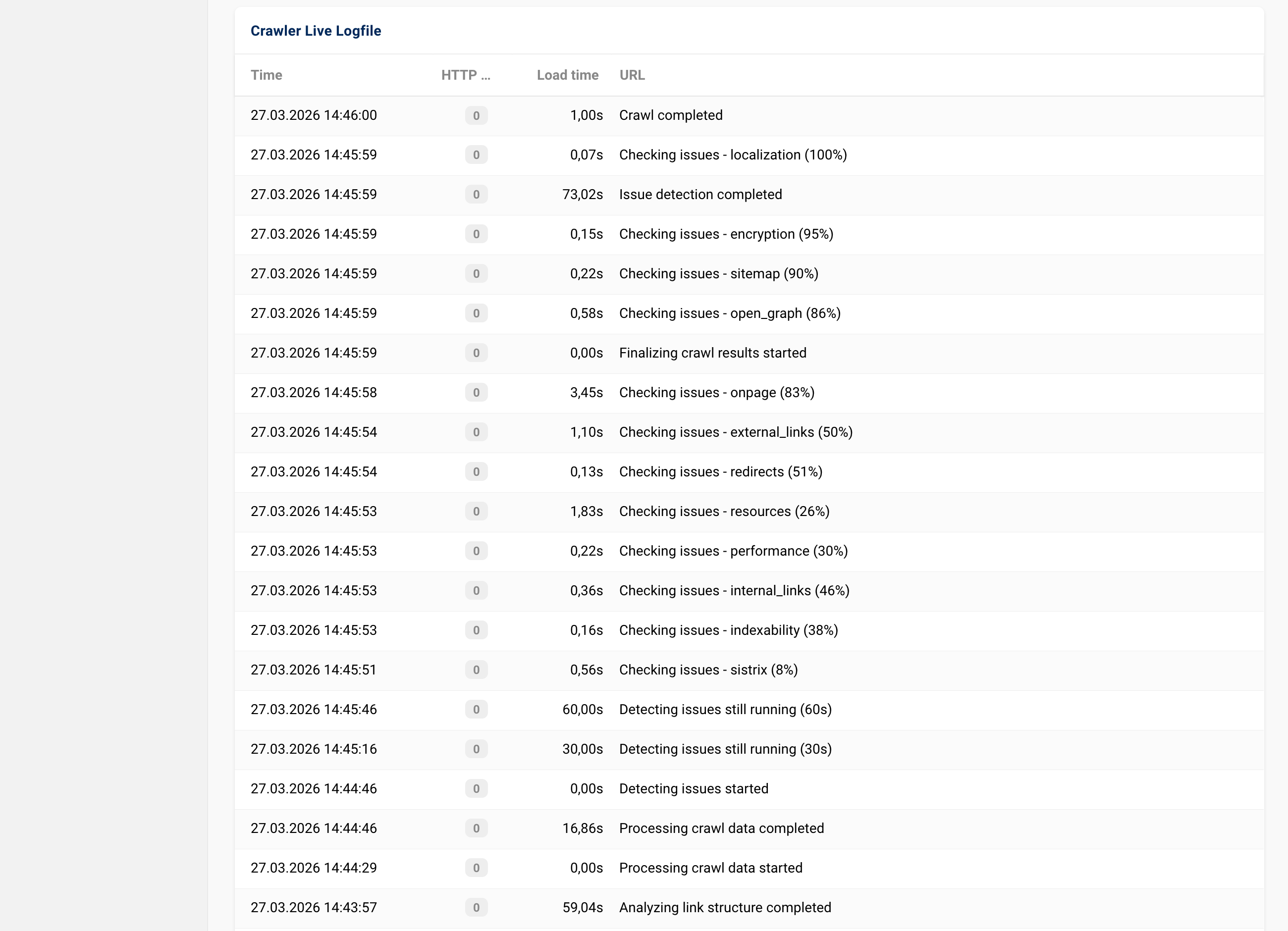
Status updates in the live log during evaluation
Depending on the size of a website, our crawler takes its time to work through a site completely. To make it clear whether the process is still active or whether a problem may have occurred, we have improved the crawling view.
The new live log now displays all intermediate steps in real time. This makes it possible to see at any point whether the crawl is running as planned.
SISTRIX API
Via the SISTRIX API, SEO and GEO metrics such as the visibility index, prompt data and keyword rankings can be queried automatically. Analyses can thus be integrated directly into your own dashboards or reporting tools. To extend this integration to various reporting tools, we have added integration with Data Studio to the API.
Data Studio Connector
The connector “SISTRIX Toolbox Data” has been available in the Google Partner Gallery since the beginning of the year. It covers the full range of SISTRIX API functions: keywords, domains, links and the new AI visibility data.
The setup has been kept deliberately straightforward: authentication is via API key, and data selection is conveniently done via dropdown. Thanks to the no-code approach, neither programming knowledge nor manual queries are required. For time-based classification, you can choose between ‘Historic’ for continuous time series and ‘Date’ for specific, day-specific data points.
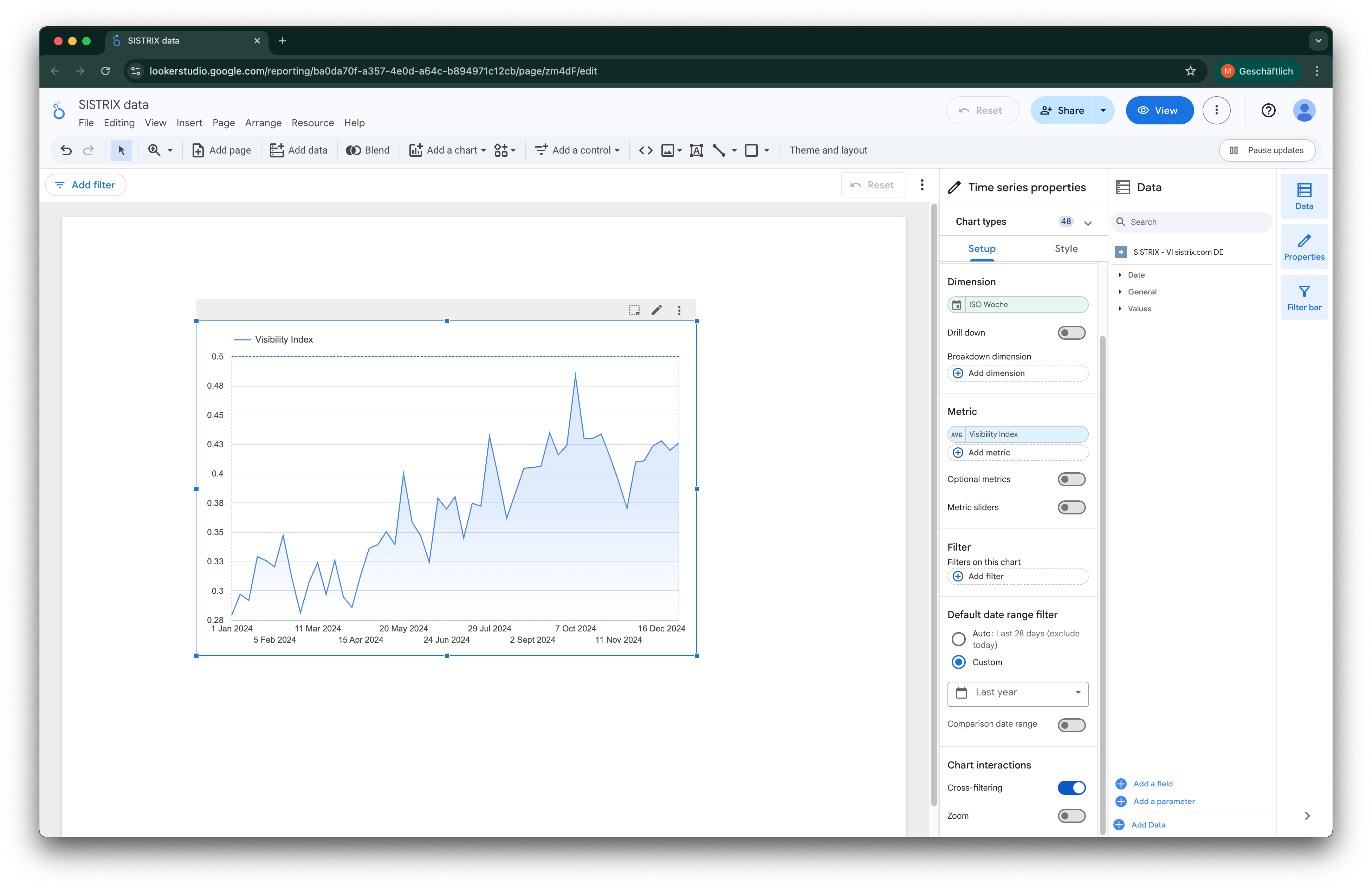
A tip: since each data source is firmly linked to a specific function, it is worth giving it a clear name when setting it up (e.g. “SISTRIX Visibility DE”). This makes it easier to keep track even in complex reports.
The SISTRIX API documentation contains detailed instructions on setup and usage.
SISTRIX Labs
In SISTRIX Labs, features that we are still working on and that still need a little fine-tuning can be manually activated and tested. We collect valuable feedback through this process, which feeds directly into further development.
New Main Navigation
The growing tool landscape has made the previous navigation more complex. As a solution, a new header design is available in SISTRIX Labs that offers maximum flexibility:
- Central control: All areas (Google, Amazon, AI & Chatbots) are accessible via a single dropdown menu.
- Individual favourites: Features can be bookmarked using the star icon and pinned directly in the main navigation in any order.
- Efficient workflow: The strict separation of products is removed. A reduced click depth makes it easier to compare and combine data across different areas.
- Adaptive design: A dynamic header adapts to the respective view and ensures a consistent user experience.
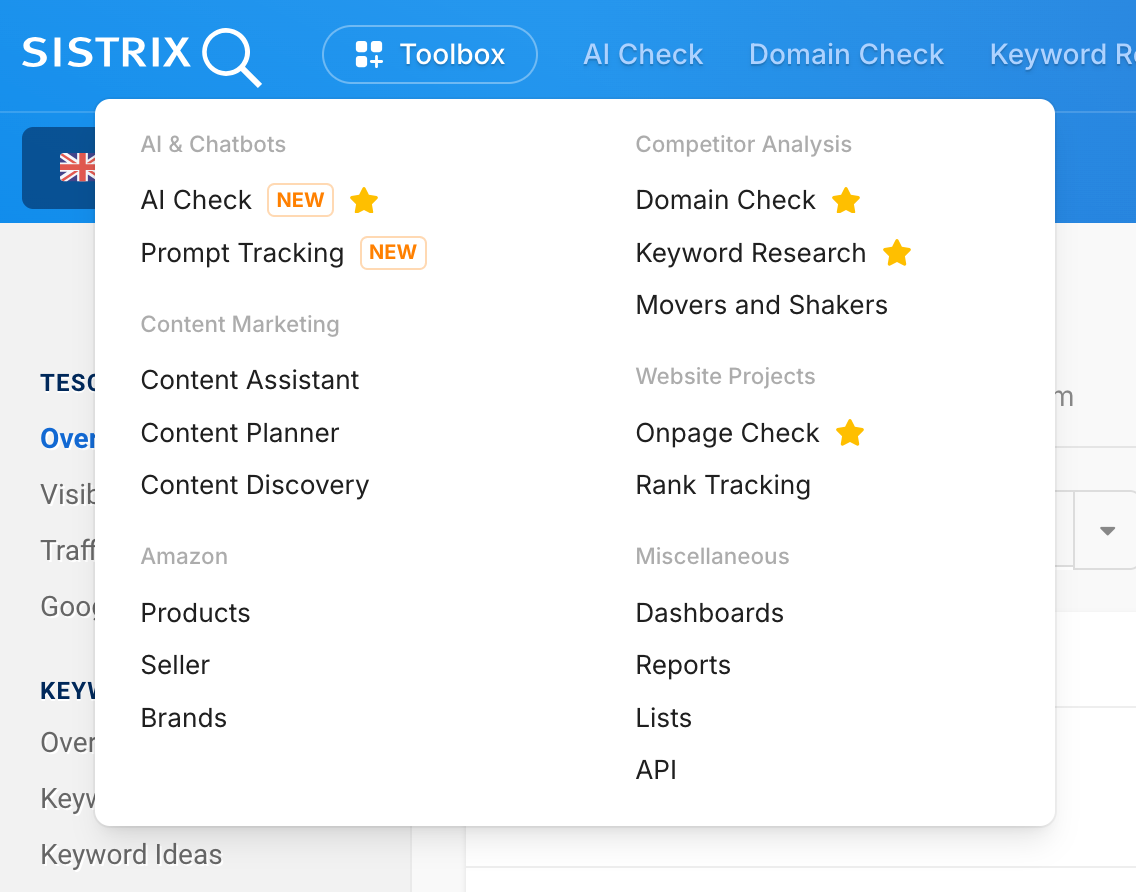
Once the testing phase is complete, the new design will predictably become the standard for all users.
Test All Q1 2026 Updates
The updates in the first quarter of 2026 adapt SISTRIX to the changed reality of search. AI Overviews are a fixed element in the work of those responsible for SEO. Whilst Google increasingly delivers answers itself, SISTRIX makes it measurable who is cited as a source.
All new features are now available to all SISTRIX users.
As always, we welcome feedback! Positive feedback confirms us in our development, whilst critical feedback helps us to make SISTRIX even better. For questions or comments about new or existing features, our support team is happy to help at support@sistrix.com.