Reports in SISTRIX can now bring together a brand’s visibility in Google Search, on Amazon and in AI systems in a single document. They also come with a redesigned, faster interface, the option to publish a report as a page with a link, PowerPoint export, a delivery day of your choice and per-user permissions.
Reports let you compile metrics from SISTRIX into a single document and send them automatically to everyone who needs regular updates without working in SISTRIX themselves. The updated tutorial on Reports shows you how to create and design a report and set up delivery.
What a report needs to include has changed. Anyone assessing how visible a brand is today no longer looks only at Google Search, but just as much at Amazon and at AI answers. SISTRIX now covers this full range across AI Search, SEO, Content and Amazon, and the new Reports bring it together in one document. You’ll find them in the ‘Workspace’ menu under Reports.
Google, Amazon and AI systems in one report
You can add almost all SISTRIX modules to Reports, including those from AI Check and the Amazon section. For example, a domain’s Visibility Index can sit directly alongside the prompts in which AI systems mention the brand and the sources they cite. A report therefore shows a brand’s visibility across channels, in one document rather than several.
Any new modules added to SISTRIX will automatically be available in Reports as well, so new analyses go straight into your reporting.
Each module carries over into the report with the settings you chose in SISTRIX, meaning the same columns, rows and metrics. You build an analysis once in SISTRIX and can use it straight away in your report.
New ways to share reports
As before, SISTRIX sends reports automatically to the email addresses you’ve saved. You now have much more flexibility over when and in what format they reach recipients. There are three new ways to share them:
- Page with link: A report can be published as a page and shared via a link, including with people who don’t have access to SISTRIX.
- PowerPoint export: In addition to PDF, every report is now also available as a PowerPoint file.
- Delivery day of your choice: Alongside the frequency, you also set the day, the day of the week for weekly delivery and the date for monthly delivery.
New interface and a more flexible editor
Reports have a fresh look too: the design and interface have been overhauled, making reports faster and easier to work with. Everything relating to the report, from settings, recipients and access through to the preview, is bundled in a bar above the report. To the left of it, you’ll find the layout elements.
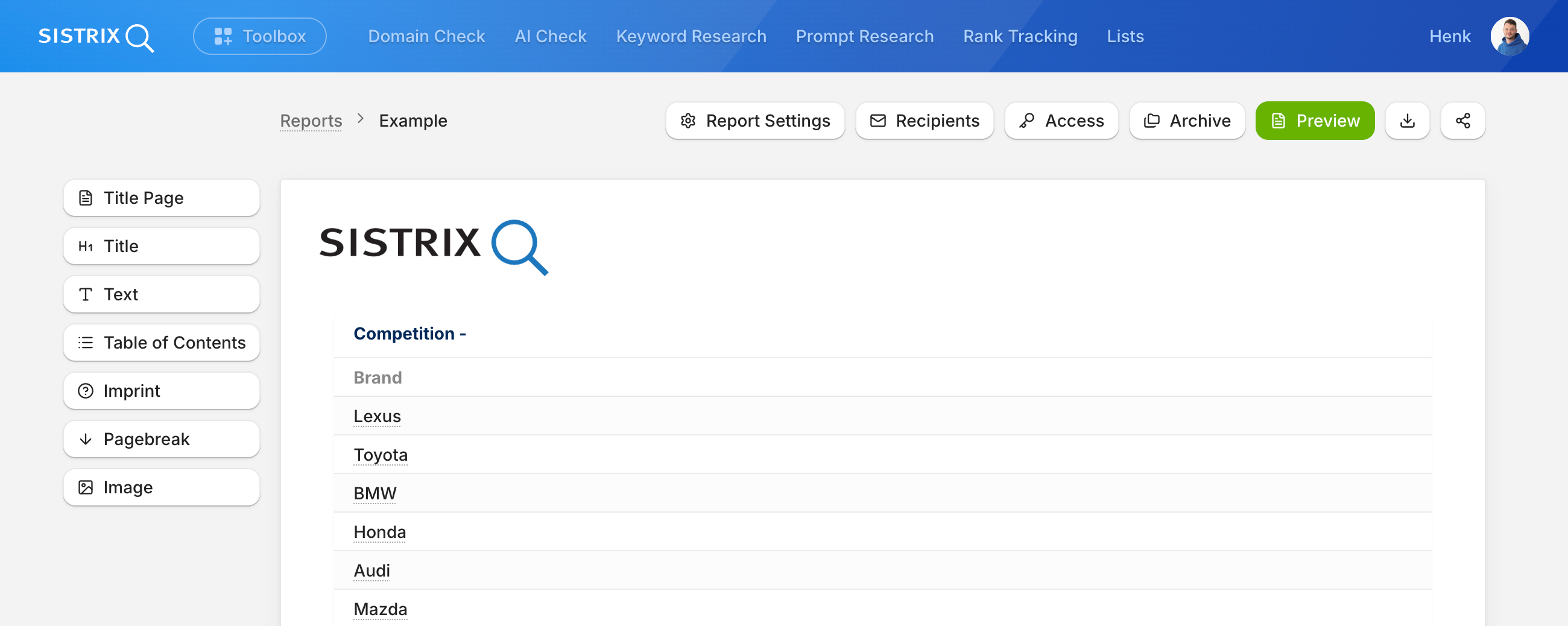
In the editor, you can arrange modules and elements in different widths, giving you more flexibility in how you build your report. If you’d rather not start from scratch, begin with one of the templates: select a template, enter a domain, and the key metrics are already in the report.
Per-user permissions
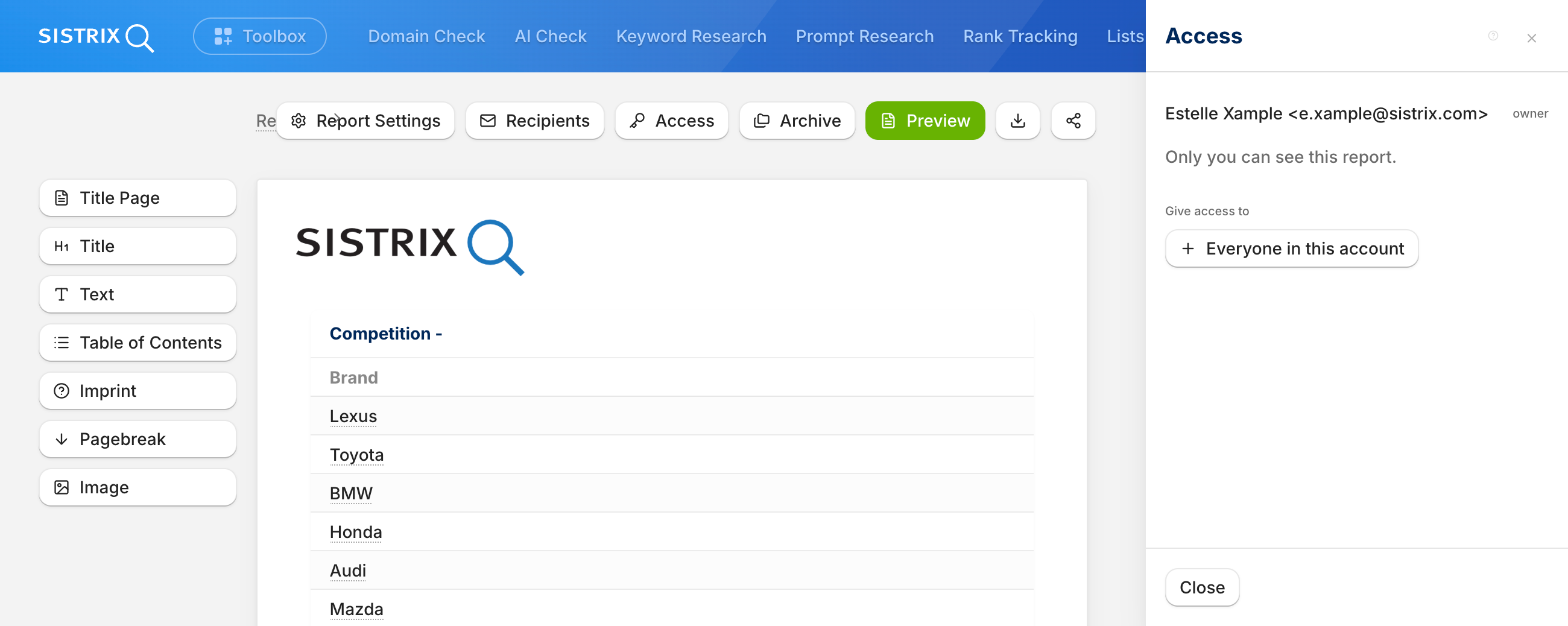
If several people in one account work on reports, there is now per-user permission management: for each user, you decide whether they can view or edit a report.
Available to everyone now
The new Reports are available in all SISTRIX accounts with immediate effect. To get started, take a look at the updated tutorial on Reports, which shows you step by step how to create, design and send a report.
As always, we welcome your feedback at support@sistrix.com, whether positive or critical.
Have fun trying it out!
Test SISTRIX for Free
- Free 14-day test account
- Non-binding. No termination necessary
- Personalised on-boarding with experts