

The SISTRIX MCP Server has been available since the middle of last year. Until now, it was only accessible to users with API access, meaning from the Plus plan onwards. That is changing: with the switch to OAuth, the MCP Server is now open to all SISTRIX users, with no API key required.
The most important update: OAuth for everyone
The SISTRIX MCP Server now connects via OAuth. Anyone with a SISTRIX account simply logs in and is ready to go. No API key, no credits, no plan restrictions. Previously, setting up the MCP Server required entering an API key. For Start plan users, this was not possible at all; for Plus plan users, only to a limited extent.
Those who prefer to continue using an API key can still do so. This option remains available for accounts on the Plus plan or higher with API access. Both methods deliver the same data and are both free of charge.
What is MCP?
The Model Context Protocol (MCP) is an open standard that allows AI chatbots to access external data sources through a unified interface. Without this connection, chatbots often make guesses or fabricate information. With the SISTRIX MCP Server, they instead access current data directly.
Setup for supported clients: ChatGPT and Claude
The SISTRIX MCP Server works with ChatGPT and Claude. Detailed setup instructions for each client are available separately.
SEO analyses via text command
Once set up, the chatbot can be used as a direct interface to SISTRIX. Questions such as “How has the visibility index of example.com developed?”, “Which keywords does this domain rank for in the top 10?” or “How visible is my brand in AI responses?” are answered automatically by the chatbot based on current SISTRIX data, in natural language, with no manual queries or tab switching required.
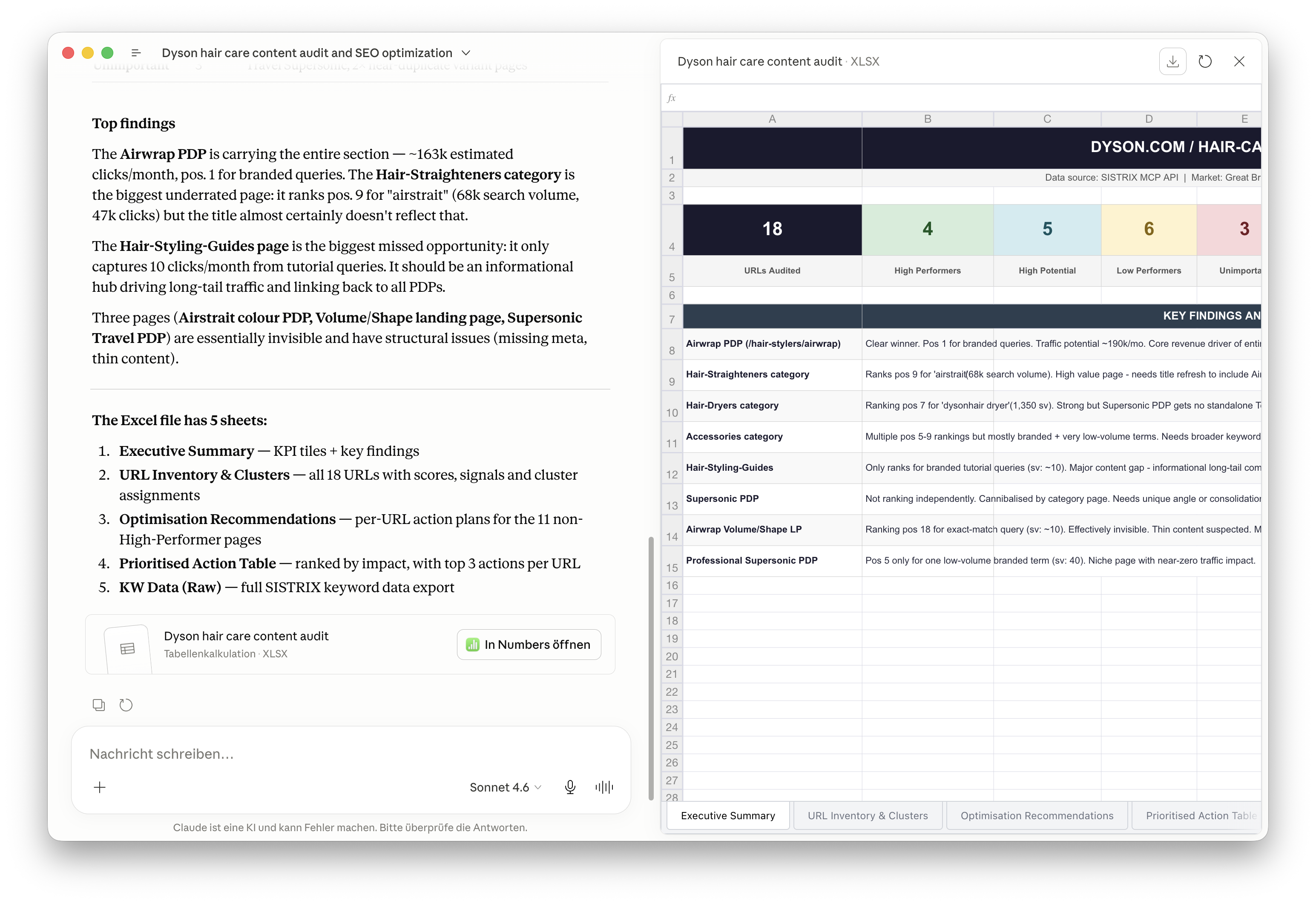
This means that all SEO operations — from strategy to execution — run directly within the chat. Research, analysis, reporting, competitive monitoring: everything in a single workflow.
Have fun giving it a try and, as always, if you have feedback, please message us at support@sistrix.com.





